
Print Photo - Print to Size
Print Photos Perfectly Sized Anywhere
Screenshots


Print Photo - Print to Size
Have you ever been scrolling through your photos, thinking about how nice it would be to print them, but wished you could easily adjust the size to fit your specific frames? If that sounds familiar, then the Print Photo - Print to Size app could be exactly what you're looking for.
So, What Is This App All About?
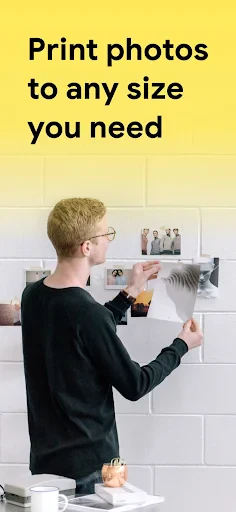
Let's get straight to it. Print Photo - Print to Size is a handy mobile app that lets you print pictures directly from your phone. The standout feature is its ability to let you customize the print size to match your exact needs, so you can say goodbye to photos that don't quite fit your frames. It's available for both Android and iOS, so everyone can use it.
Getting Everything Set Up
Getting started is really simple. Just go to the Google Play Store or the Apple App Store, download the app, and you're almost done. The layout is very user-friendly. I found I didn't need any instructions—everything was clear and easy to figure out. After installation, the app quickly accesses your photo gallery, so you can pick your pictures and start printing in no time.
The Handy Features You'll Love
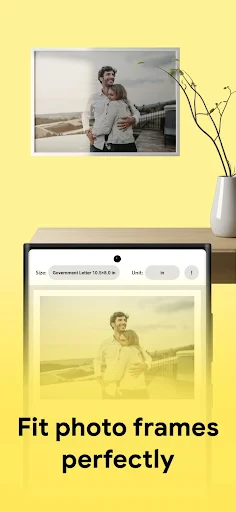
What really makes this app special is how you can adjust your photo sizes with a simple finger swipe. You can pick from standard sizes or create a completely custom one. Have an unusual frame that needs a non-standard photo size? This app can handle that.
It also supports a variety of print formats. Whether you want a small 4x6 for your desk or a larger 8x10 for your wall, it has you covered. You can even choose to add a border to your photos for a classic look or go for a modern borderless print. It's all about giving you the choice!
How Does the Printing Actually Work?
You might be wondering about the printing process itself. It's very straightforward. The app connects to your printer over WiFi, and the print quality is really good. I tested it on both regular and photo paper, and the results were great every time. The colors were bright, and the details were sharp. There's no worry about blurry or pixelated prints here.
What It Was Like to Use
I tried the app with some holiday snaps and family pictures. Choosing the size and sending them to print was surprisingly satisfying. Seeing those digital images become physical photos was a great reminder of why printing pictures is still so special.
A feature I found super helpful was the app's memory for my custom sizes. I didn't have to re-enter the dimensions every time I wanted to print more photos, which saved a lot of time.
Wrapping It Up
In our digital world, there's a unique joy in holding a physical photograph. Print Photo - Print to Size makes it simple to turn your digital memories into tangible prints, all with the customization you need to make them fit your life perfectly.
If you enjoy photography or just like having your favorite moments displayed around your home, this app is definitely worth a look. It's easy to use, flexible, and does what it says. Why not give it a try and start printing your memories today? You'll be glad you did
Advantages
- User-friendly interface.
- Variety of print sizes.
- High-quality print output.
- Supports multiple file formats.
- Seamless integration with cloud services.
Disadvantages
- Limited free features.
- Requires in-app purchases.
- Occasional app crashes.
- Needs stable internet connection.
- Print quality varies by printer.
Frequently Asked Questions
Q: What is Print Photo - Print to Size app and how does it work?
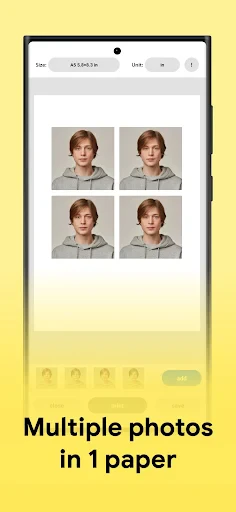
A: Print Photo - Print to Size is an app designed to help users print photos in various sizes directly from their mobile devices. It allows you to select photos, adjust their size and layout, and print them using a wireless printer. The app supports multiple paper sizes and offers editing tools to enhance the photo quality before printing.
Q: Is Print Photo - Print to Size app compatible with all printers?
A: The app is compatible with most wireless printers that support AirPrint or similar technologies. However, it's recommended to check the printer compatibility on the app's official website or in the app description in the store to ensure it works with your specific printer model before downloading.
Q: Are there any costs associated with using the Print Photo - Print to Size app?
A: While Print Photo - Print to Size can be downloaded for free, there might be in-app purchases or subscription options available for accessing premium features or additional tools. Users should review the pricing details in the app store to understand the full cost of using the app effectively.
Q: What photo formats are supported by Print Photo - Print to Size app?
A: The app supports a wide range of photo formats including JPEG, PNG, and TIFF, ensuring that users can print almost any photo stored on their device. It's advisable to check the app's details for any updates on supported formats, as they may expand with future updates.
Q: Does Print Photo - Print to Size offer any photo editing features?
A: Yes, the app provides basic photo editing features such as cropping, resizing, and adjusting brightness or contrast. These tools allow users to enhance their photos' appearance before printing, ensuring high-quality prints. However, for advanced editing, users might need to use a dedicated photo editing app in conjunction with this one.
Technical Information
Recommended for You

Radio FM AM Live Radio Station

All Document Hub

Meme Maker & Meme Creator

Instant Boost : Addon

eHub

XTranslate - Photo, Voice, PDF

Rock Identifier: Stone ID

Babyname

Zip - Buy Now, Pay Later

Text Me: Second Phone Number

ESPN Fantasy Sports

Alaska Airlines - Travel

Holy Quran - Deeper journey

HapEnd: Dating, Love & Fun

Mureka - AI Song&Music Maker

MP3 Converter - Video to MP3

GPS Speedometer - Odometer App

The Epoch Times: Breaking News

HP Print Service Plugin

iRobot Home (Classic)

ATOM Store, Myanmar

Fragrantica Perfumes

Glitter Wallpaper: Theme, Icon
