
inCarDoc Pro | OBD2
Car Doctor Vehicle Scanner For All Drivers
Screenshots
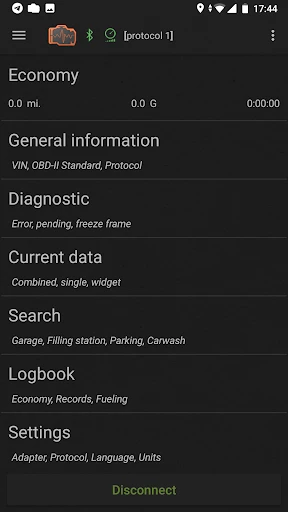
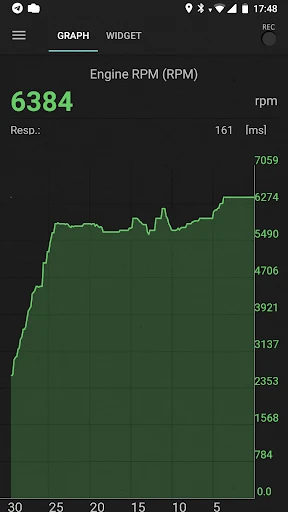
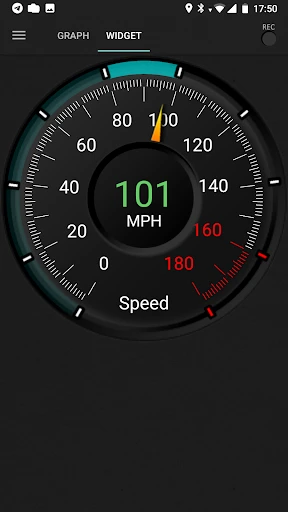
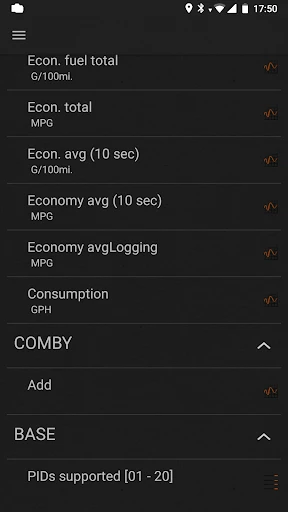
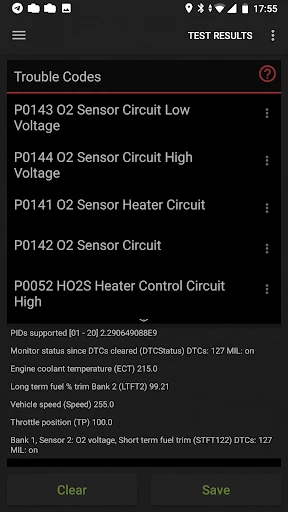
Ever been in a situation where your car's dashboard lit up like a Christmas tree and you had no clue what was going on? Yep, been there, done that. That's where inCarDoc Pro | OBD2 comes into play. This app is like having a personal mechanic in your pocket. Let's dive into what makes this app a must-have for car enthusiasts and everyday drivers alike.
Getting Your In-Car Doctor Online
First things first, getting the app up and running is a breeze. Available on both Android and iOS, it pairs seamlessly with your car's OBD2 system. Just plug in an OBD2 scanner, connect your phone via Bluetooth, and voila! You're all set to start diagnosing those pesky engine lights. The interface is pretty user-friendly, even if you're not a tech wizard. Just follow the intuitive prompts, and you'll be navigating through the app like a pro in no time.
What Makes This App So Special
One of the coolest features of inCarDoc Pro is its real-time data monitoring. You can keep an eye on everything from your engine's RPM to fuel consumption. It's like having a live feed of your car's innermost workings. The app also offers a trip computer that logs your journey, providing insights into speed, distance, and fuel efficiency. It's perfect for those who like to keep an eye on their driving habits or are just curious about how their car performs on the road.
Another noteworthy feature is the app's ability to read and reset trouble codes. No more guessing games when that check engine light comes on. The app gives a detailed description of the issue and even provides suggestions on how to fix it. It's like having a mechanic whispering in your ear, minus the greasy hands.
A Look at the App's Feel and Flow
Now, let's talk about the user experience. The design is sleek and modern, making the app visually appealing. The color scheme is easy on the eyes, and the icons are clear and descriptive, so you won't find yourself squinting at the screen trying to figure out what's what. The app is also quite responsive, with minimal lag even when pulling up complex data sets. It's designed to give you a smooth experience, ensuring that you get the information you need without any unnecessary hassle.
Final Thoughts on inCarDoc Pro
All in all, inCarDoc Pro | OBD2 is a fantastic tool for anyone looking to take control of their car's diagnostics. Whether you're a car enthusiast who loves to tinker under the hood or just someone who wants to avoid unnecessary trips to the mechanic, this app has got you covered. It's packed with features that are not only useful but also fun to explore. So, next time your car decides to throw a tantrum, you'll know exactly what to do. Happy driving!
Advantages
- Real-time vehicle diagnostics.
- User-friendly interface.
- Supports multiple car models.
- Regular software updates.
- Detailed data graphs.
Disadvantages
- Requires Bluetooth adapter.
- Limited free features.
- Occasional connection drops.
- Complex for beginners.
- In-app purchases needed.
Frequently Asked Questions
Q: What is inCarDoc Pro and how does it work?
A: InCarDoc Pro is a professional car diagnostic application that connects to your vehicle's OBD2 system via Bluetooth or Wi-Fi. It allows users to access real-time data, monitor engine performance, and diagnose potential issues. The app provides detailed insights into various parameters such as fuel consumption, engine temperature, and fault codes, helping users maintain their vehicle's health effectively.
Q: Is inCarDoc Pro compatible with all vehicles?
A: inCarDoc Pro is compatible with most cars manufactured after 1996 that support the OBD2 standard. However, compatibility might vary depending on the vehicle's make, model, and year. It is recommended to check the app's compatibility list or consult with your vehicle manufacturer to ensure seamless connectivity and functionality before purchasing the app.
Q: What are the key features of inCarDoc Pro?
A: inCarDoc Pro offers a range of features including real-time car diagnostics, engine performance monitoring, fault code reading and clearing, and fuel consumption tracking. Additionally, it provides users with customizable dashboard views, trip logging, and the ability to export detailed reports. These features make it a comprehensive tool for vehicle maintenance and monitoring.
Q: How user-friendly is inCarDoc Pro for beginners?
A: inCarDoc Pro is designed with an intuitive user interface that caters to both seasoned car enthusiasts and beginners. The app provides easy-to-understand graphical representations of data and straightforward navigation, ensuring that users of all technical levels can utilize its features effectively. New users can refer to the in-app tutorials and support resources for additional guidance.
Q: Is inCarDoc Pro a one-time purchase or does it require a subscription?
A: inCarDoc Pro is typically offered as a one-time purchase, granting users lifetime access to its core features without recurring fees. However, some additional features or updates might be available through in-app purchases. It is advisable to check the app store’s listing for the most current pricing and feature details before purchase.
Technical Information
Recommended for You

Pedi STAT EMS

TickTock-TikTok Live Wallpaper

Soundcore

weather24: Forecast & Radar

Walli - Stunning 4K Wallpapers

Zipcar

Avatar Maker - Avatar Creator

Yandex Weather & Rain Radar

SnapTick - Download Video TT

Gallery - Album & Photo Vault

Messages - sms text message

Papa Johns Pizza & Delivery

BiliBili -HD Anime,Videos

Thermometer++ Room Temperature

Intuit Credit Karma

Bed Bath & Beyond

MGM Rewards

PhotoCircle

Slideshow Maker Photo Video

ReadON DAO

Fongo World Edition

Four | Buy Now, Pay Later

KAPI
