Video Background Changer
Video Background Changer Edit Videos Anywhere Easily
Screenshots


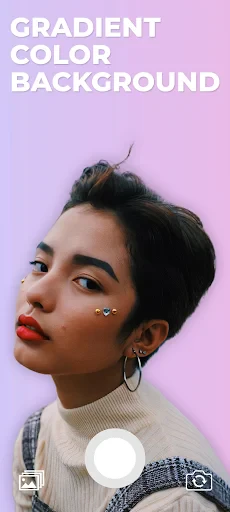
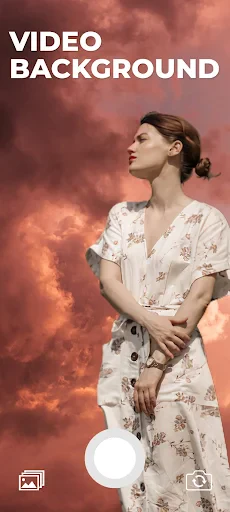

Video Background Changer: Your Pocket-Sized Video Editor
Transform Your Videos in a Snappy Way!
First up is the star of the show: swapping out video backgrounds. Video Background Changer has a super simple layout that's a breeze to use. Even if you're not great with tech, you'll get the hang of it quickly. Just pick your video, select a background from the app's collection or use one of your own photos, and that's it! Your video suddenly has a whole new scene.
The cool part is the AI that handles the background change. It's pretty good at figuring out what the main subject is and cutting it out from the old background. It might not get every single detail perfect, like wispy hair or if you're moving really fast, but for a phone app, it works surprisingly well.
Make It Truly Yours
Another great thing about Video Background Changer is how much you can tweak things. You aren't stuck with just still pictures; you can use moving backgrounds too, which can really make your video stand out. The app also lets you play with how strong the background effect is, giving you more say in how the finished video appears.
On top of that, there are built-in filters and editing tools to adjust colors and add fun effects, helping your video look its best. It's like having a tiny editing studio right on your phone. Whether you're putting together a silly clip for a friend or something more professional, you have the options you need.
How Well Does It Work?
In terms of performance, Video Background Changer runs pretty smoothly most of the time. How long it takes to change the background isn't too bad, but it does depend on how long your video is and how high-quality it is. I tried it on a few phones, and it worked well on newer ones, but you might notice it being a bit slower on older models.
As for how easy it is to use, I really liked the app's clean design. It doesn't hit you with a ton of ads, which is a big bonus. However, some of the fancier features do require you to pay for the premium version. The free version is still quite useful for basic stuff, though.
The Bottom Line: Should You Get It?
So, is Video Background Changer worth downloading? If you want to make your videos more exciting without learning complicated editing programs, then this app is absolutely worth a try. It's easy to use, has plenty of handy features, and the results are great for something you do on your phone.
It won't handle every single tricky situation perfectly, but it's a fun and useful tool for everyday users and people just starting out with content creation. Just be mindful that it might slow down a bit if your phone is an older model. Overall, it's a clever little app that lets you add a touch of Hollywood flair to your videos
Advantages
- Easy to use interface
- High-quality video outputs
- Wide variety of background options
- Quick processing time
- Supports multiple video formats
Disadvantages
- Limited free version features
- Requires a stable internet connection
- Occasional app crashes
- In-app advertisements
- Large file size for download
Frequently Asked Questions
Q: What is Video Background Changer?
A: Video Background Changer is an innovative app designed to allow users to alter the background of their videos easily. It uses advanced algorithms to detect the subject and replace the background with a different image or video, offering creative possibilities for content creators. This app is available for both Android and iOS devices.
Q: How does Video Background Changer work?
A: The app utilizes machine learning and AI-powered technology to identify the subject in a video and separate it from the background. Users can then select from a range of pre-set backgrounds or upload their own images or videos. The app processes the video in real-time, providing a preview of the changes before saving the final version.
Q: Are there any limitations to using Video Background Changer?
A: While Video Background Changer is a powerful tool, it may not work perfectly with complex backgrounds or in low-light conditions. The accuracy of background detection can vary depending on the quality of the video and the distinctness of the subject from the background. Users may need to experiment with different settings to achieve the best results.
Q: Is Video Background Changer free to use?
A: Video Background Changer offers a free version with basic features, which should suffice for casual users. However, for more advanced features and a wider range of background options, users can opt for the premium version. The premium version is available through in-app purchases, allowing users to unlock additional functionalities.
Q: What devices are compatible with Video Background Changer?
A: Video Background Changer is compatible with most modern Android and iOS devices. Users should ensure their device meets the minimum operating system requirements, which are typically Android 5.0 and above or iOS 11 and above. It's recommended to have a device with a good camera and processor for optimal performance.
Technical Information
Recommended for You

Car Key: Smart Car Remote Lock

VoyceMe: Manga and Webtoons

FreePrints Gifts

Robinhood - FinTech SuperApp

Plantify: AI Plant Identifier

18Birdies Golf GPS Rangefinder

Mobile Number Locator App

Offline Map Navigation

Video Editor&Maker - VideoCook

Chrome Dev

Pixel Studio PRO: editor

CSL Plasma

Cool Fonts Keyboard & Themes

Prime Video

MEATER® Smart Meat Thermometer

Speedtest by Ookla

Comikey - Manga & Webcomics

Globoplay: BBB 25, novelas e +

King James Bible - Verse+Audio

Nintendo Switch Parental Cont…

Nano Teleprompter

CareCredit Mobile

GeoZilla - Family GPS Locator