
hoopla Digital
Digital Library For Streaming And Ebooks
Screenshots
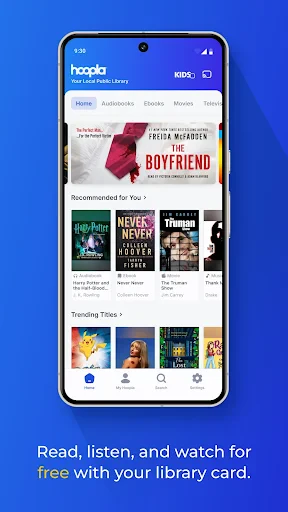
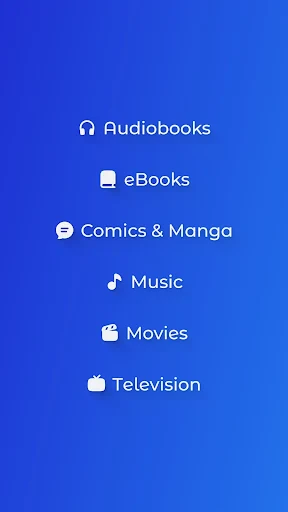
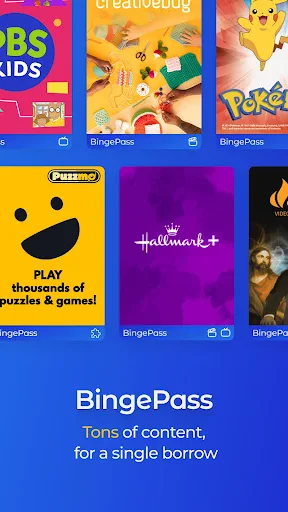
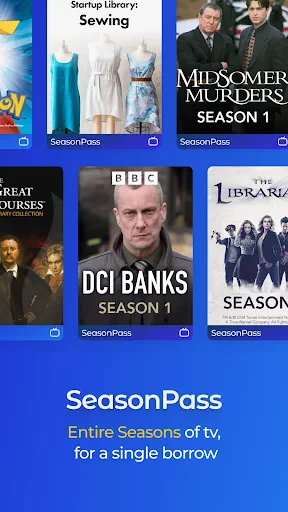
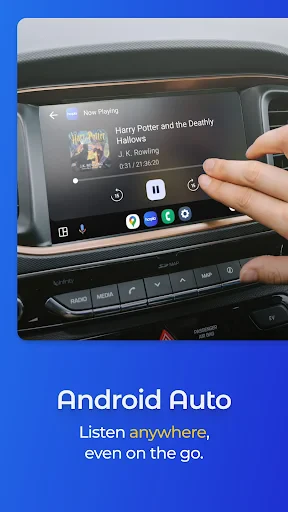
Your New Best Friend for All Things Entertainment: Hoopla Digital
Have you ever been itching for a new book, movie, or album but had no idea where to find it all in one spot? Let me introduce you to Hoopla Digital, your new go-to for entertainment! I decided to test this app out, and wow, was I ever impressed. Let me walk you through my experience.
Getting Started with Hoopla
First things first, downloading Hoopla Digital was super simple. You can get it on both Android and iOS, so it’s easy for almost anyone with a smartphone. After you install it, the app asks you to sign up using your library card. That’s right—your library card! This app teams up with local libraries to give you free access to a huge selection of e-books, audiobooks, comics, music, movies, and TV shows. It’s basically like carrying a library right in your pocket, and you don’t have to worry about due dates or late fees!
Navigating the App
The app’s design is clean and really easy to use. Moving around the app feels natural, and I never got lost looking for what I wanted. The home screen shows you a bunch of suggestions based on what you’ve borrowed before, which I found super handy. The search feature is also really strong, letting you sort results by what kind of media you’re looking for—this saves a ton of time when you know exactly what you want.
A World of Content
What really makes Hoopla Digital stand out is its massive content library. Whether you’re into the newest bestsellers, classic films, or full music albums, there’s something for every taste. I had a blast exploring their comic book section. With titles from all the big publishers, it felt like a comic fan’s dream come true! Plus, the e-reader and video player are built right into the app, so you can enjoy everything without switching between different apps.
Enjoy Offline
Another awesome feature is that you can download stuff to use when you’re offline. Going on a long trip or know you’ll be without Wi-Fi? No problem—just download your picks ahead of time, and you’re good to go for non-stop entertainment. This was a total game-changer for me, especially during my daily commute.
A Few Things to Keep in Mind
Even though Hoopla Digital is an amazing resource, it does have a couple of limits. The number of titles you can borrow each month is set by your library, so if you read or watch a lot, you might hit your limit faster than you’d like. Also, which titles are available can depend on what your specific library offers. Still, these are pretty small trade-offs for such a great service.
In conclusion, Hoopla Digital is an app you’ve got to try if you want to broaden your entertainment choices without spending a dime. It’s easy to use, packed with content, and the best part—it’s free with your library card. So if you haven’t already, check out Hoopla Digital. Your inner bookworm or movie buff will be so glad you did
Advantages
- Extensive library of ebooks and audiobooks.
- No waitlist for borrowing digital items.
- Supports offline access to content.
- User-friendly interface and easy navigation.
- Free access with a library card.
Disadvantages
- Limited availability outside the US.
- Requires a library card for access.
- Some titles may have borrowing limits.
- Occasional app performance issues.
- Content availability varies by library.
Frequently Asked Questions
Q: What is hoopla Digital and what does it offer?
A: hoopla Digital is a media streaming platform that allows users to borrow a wide range of digital content, including eBooks, audiobooks, comics, music, movies, and TV shows. The service is available through participating libraries, providing users with free access to thousands of titles across different genres and formats. Users can enjoy content on their smartphones, tablets, or computers, making it a versatile option for digital entertainment.
Q: How do I access content on hoopla Digital?
A: To access content on hoopla Digital, users must have a valid library card from a participating library. Once you have your library card, you can create a free hoopla account and start borrowing digital content immediately. The platform is user-friendly, with a simple borrowing process that allows you to stream or download titles to enjoy offline. This flexibility makes it convenient to consume content any time, anywhere.
Q: Are there any borrowing limits on hoopla Digital?
A: Yes, hoopla Digital typically has borrowing limits set by your local library. These limits depend on the library's policies and can vary, but generally, users are allowed to borrow a certain number of titles per month. It's essential to check with your library for specific borrowing rules, as exceeding these limits will prevent you from borrowing more titles until the following month.
Q: Is hoopla Digital available on all devices?
A: hoopla Digital is available on a wide range of devices, including iOS and Android smartphones and tablets, Kindle Fire tablets, and computers via web browsers. The app is also compatible with smart TVs and streaming devices like Apple TV, Android TV, and Roku. This multi-platform support ensures that users can access their favorite content regardless of the device they prefer to use, providing a seamless entertainment experience.
Q: Can I access hoopla Digital offline?
A: Yes, hoopla Digital allows users to download content for offline access. This feature is particularly useful for those who want to enjoy their borrowed titles without an active internet connection, such as during travel or in areas with limited connectivity. However, to download content, you need to use the hoopla app on a compatible mobile device. This ensures that you can enjoy your digital library even when offline.
Technical Information
Recommended for You

MoboReels-Short Dramas&Movies

BioLife Plasma Services

Bolt: Request a Ride

Beyond Menu - Food Delivery

Cricbuzz - Live Cricket Scores

TVV Christmas 2 Watch Face

Busch Gardens

Moco+: Chat & Meet New People

Microsoft SharePoint

TV Cast Pro for Fire TV

HamStudy.org

Pixel 4D™ Live Wallpapers

Video Downloader & Video Saver

Tappytoon Manhwa & Novels

Sky Tonight - Star Gazer Guide

MP3 Downloader - Music Player

Advent Calendar

Vector Ink: SVG, Illustrator

Payactiv

GPX Viewer PRO

Photoroom AI Photo Editor

Webull: Investing & Trading

O'Reilly Pro
