
Zoom Workplace
Secure team collaboration for modern business needs
Screenshots

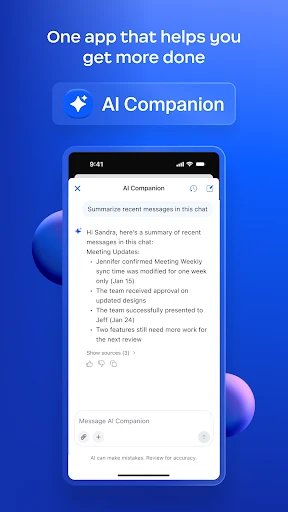
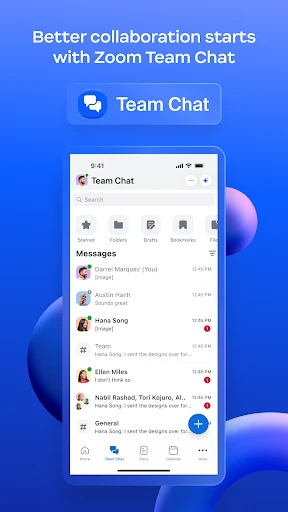
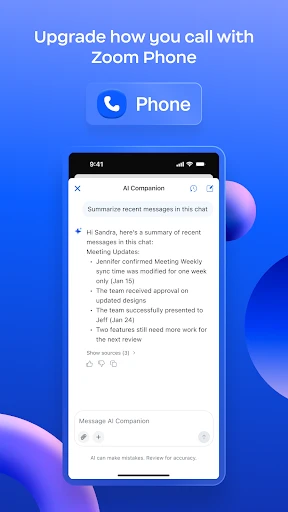
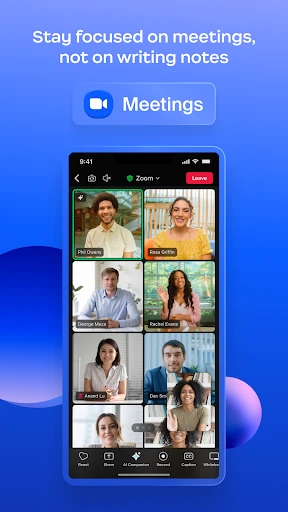
Zoom Workplace: Your Ultimate Guide to Seamless Remote Collaboration
Zoom Workplace has rapidly become a staple in the professional toolkit of remote workers, digital nomads, and businesses across the globe. If you’re looking for a robust, reliable, and easy-to-use platform to streamline your communication needs, let me take you on a little tour of why Zoom Workplace might just be the solution you've been searching for.
Getting Your Zoom Workplace Up and Running
First things first, downloading Zoom Workplace is a breeze. It's available on both Android and iOS platforms, and the installation process is as straightforward as it gets. Once you’ve got it up and running, the intuitive interface makes it easy for anyone to jump right in, whether you're tech-savvy or not.
The app offers a plethora of features designed to make virtual collaboration as seamless as possible. From HD video conferencing to screen sharing and even a built-in calendar for scheduling meetings, Zoom Workplace covers all bases. You can host meetings with up to 100 participants, which is more than enough for most small to medium-sized businesses.
Handy Tools You'll Love
One of the standout features of Zoom Workplace is its breakout rooms. This feature is a game-changer for educators and trainers who need to break participants into smaller groups for discussions or activities. It’s like having multiple mini-meetings within your main session—super handy for workshops and brainstorming sessions.
Another notable feature is the virtual background option. This is not just for fun—though I must admit, it's quite entertaining to have a beach backdrop while stuck at home—but it also helps in maintaining privacy, especially if you’re working from a shared space.
Playing Nice with Other Apps
Zoom Workplace doesn’t just stop at offering excellent standalone features; it also integrates smoothly with other productivity tools like Slack, Google Calendar, and Microsoft Teams. This means you can streamline your workflow without having to switch back and forth between apps constantly.
Moreover, the app’s security features have been significantly improved over time. End-to-end encryption ensures that your meetings remain confidential, which is a relief for businesses dealing with sensitive information.
Wrapping Up: Is Zoom Workplace For You?
In conclusion, Zoom Workplace is more than just a video conferencing tool. It’s a comprehensive platform that enhances productivity and keeps teams connected across distances. Whether you're working from home, managing a remote team, or conducting online classes, this app has got you covered.
While there are many communication tools out there, Zoom Workplace stands out for its ease of use, reliability, and the sheer range of features it offers. If you haven’t tried it yet, I’d say it’s worth giving it a shot. Who knows, it might just become your go-to app for all things work-related
Advantages
- User-friendly interface
- High-quality video calls
- Seamless screen sharing
- Integration with calendars
- Reliable connection
Disadvantages
- Requires strong internet
- Security concerns
- Limited free version
- Occasional lag
- Complex for beginners
Frequently Asked Questions
Q: What is Zoom Workplace and how does it differ from regular Zoom meetings?
A: Zoom Workplace is an enhanced version of the standard Zoom platform, specifically designed to integrate seamlessly into a corporate environment. It offers advanced features such as detailed analytics, administrative controls, and enhanced security protocols to facilitate large-scale enterprise communications. Unlike regular Zoom meetings, Zoom Workplace focuses on collaboration and productivity tools tailored for business needs.
Q: Is Zoom Workplace secure for sensitive business communications?
A: Yes, Zoom Workplace provides a robust security framework to ensure sensitive business communications are protected. It includes end-to-end encryption, role-based access controls, and compliance with industry standards such as GDPR and HIPAA. These features are designed to safeguard data integrity and privacy, making it a reliable choice for secure enterprise communication.
Q: Can Zoom Workplace integrate with other business tools and applications?
A: Absolutely, Zoom Workplace offers integration capabilities with a wide range of business tools and applications, such as Microsoft Office Suite, Slack, Salesforce, and more. This integration facilitates streamlined workflows, enhancing productivity and collaboration across different platforms. Users can easily sync meetings, calendars, and other essential business functions with Zoom Workplace.
Q: What are the system requirements for installing Zoom Workplace?
A: To install Zoom Workplace, users need a device running on Windows, macOS, iOS, or Android with a stable internet connection. The application requires a minimum of 2 GB of RAM and a dual-core processor. For optimal performance, a broadband internet connection is recommended, and users should ensure their operating system is updated to the latest version.
Q: How user-friendly is Zoom Workplace for teams new to digital collaboration?
A: Zoom Workplace is designed with user-friendliness in mind, offering intuitive navigation and a clean interface to accommodate teams new to digital collaboration. It features comprehensive tutorials, a responsive customer support system, and an extensive FAQ section to help users get accustomed to its functionalities quickly. These resources are essential for facilitating a smooth transition to digital collaboration.
Technical Information
Recommended for You

Night Sky Guide - Planetarium

Video Downloader Pro

Bible-Daily Bible Verse

Hammer: Truck GPS & Maps

Diary Pro - Diary With Lock

Journal: Notes, Planner, PDFs

AI QR Code Scanner & Generator

Empower®

Brightest Flashlight Launcher

HolMe Dating app: Meet People

تدارس القرآن

Flights, railways, hotels

Live Wallpapers HD 4K

ZArchiver

HuntWise: A Better Hunting App

eDrawings

Remote Control for TV - All TV

AI Art Generator: Photo, Draw

JBL Portable

Nerd AI - Tutor & Math Helper

Prank Call - Fake Call & Chat

xBrowser - Video Downloader

Podcast Go
