
Traeger
Grill Master App For Wood Pellet Grill Owners
Screenshots
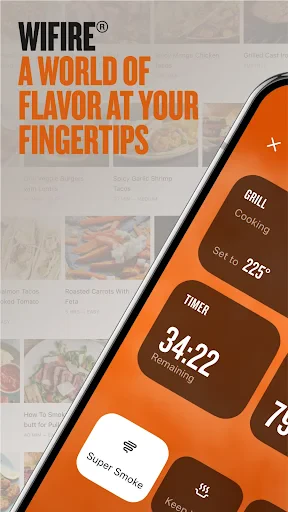
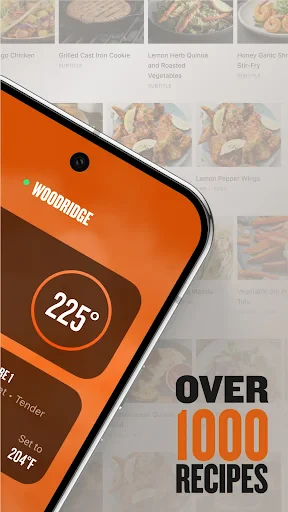
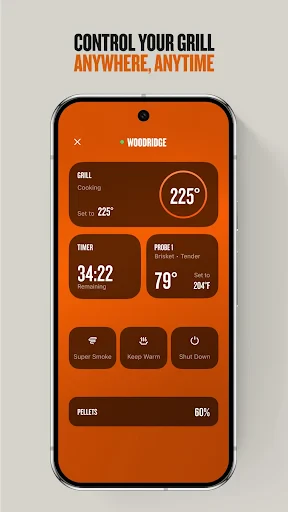
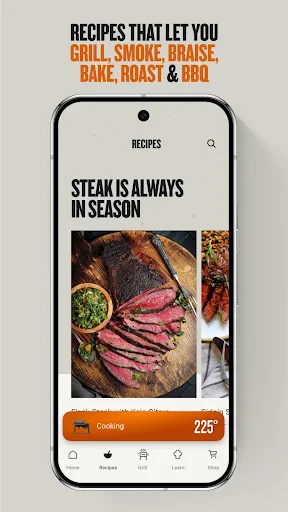
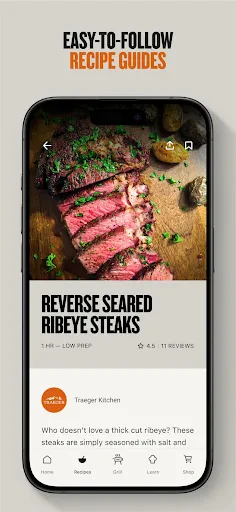
Hey there, fellow BBQ enthusiasts! If you’re anything like me, you love the smell of smoked ribs wafting through the air on a sunny afternoon. Enter the Traeger app, your new best friend for all things grilling. Let me take you through my journey with this app and why I think it might just become your go-to grill master assistant.
Getting Started with the App
The first thing I noticed about the Traeger app is its sleek and intuitive interface. Downloading and setting it up was a breeze, even for someone who’s not exactly tech-savvy. The app connects seamlessly with your Traeger grill via Wi-Fi, allowing you to control the temperature and monitor your cook right from your phone. It’s like having a remote control for your grill, and honestly, who doesn’t want that?
A Look at the Handy Tools
Once you’re in, the app opens up a world of possibilities. It’s jam-packed with features that make grilling not just easier, but a whole lot more fun. My favorite feature? The recipe section. With hundreds of recipes at your fingertips, you’ll never run out of ideas for what to cook next. Plus, the step-by-step guides are super easy to follow, which means less time stressing and more time enjoying your delicious creations.
Another cool feature is the GrillGuide. This handy tool provides you with recommended cooking times and temperatures for just about any meat you can think of. Whether you’re smoking a brisket or grilling up some burgers, you can trust the GrillGuide to have your back.
Grilling from Anywhere
The app’s connectivity is pretty impressive. I tested it out by going for a quick jog while smoking a pork shoulder, and I could keep an eye on the grill’s temperature right from my Apple Watch. Talk about convenience! Plus, the app sends you notifications when your grill is preheated or when your food reaches the desired temperature, so you’re always in the loop.
Joining the Grillmaster Community
One of the standout aspects of the Traeger app is the community feel. The app connects you with other grill enthusiasts through its community feature, where you can share recipes, tips, and even photos of your grilling masterpieces. It’s like having a virtual BBQ club, and it really adds a social element to the grilling experience.
And if you ever run into any issues, the app’s support section is top-notch. They’ve got a comprehensive FAQ and a support team ready to assist you, ensuring that your grilling experience is as smooth as possible.
Overall, I’d say the Traeger app is a must-have for anyone who owns a Traeger grill. Its user-friendly design, robust features, and community aspects make it a valuable tool for both novice and seasoned grillers alike. So, if you’re looking to up your BBQ game, give this app a whirl. You might just find yourself the star of your next backyard party
Advantages
- User-friendly interface
- Wide variety of recipes
- Customizable notifications
- Integration with smart devices
- Detailed cooking instructions
Disadvantages
- Requires internet connection
- Limited free features
- Occasional app crashes
- Notifications can be overwhelming
- Subscription required for premium features
Frequently Asked Questions
Q: What is Traeger and how does it work?
A: Traeger is a mobile app designed to complement Traeger grills by providing users with comprehensive grilling guides, recipes, and techniques. It offers step-by-step instructions and smart features like temperature control and alerts. The app connects to your grill via Wi-Fi or Bluetooth, allowing you to monitor and adjust cooking settings directly from your smartphone, ensuring perfect results every time.
Q: Is the Traeger app compatible with all Traeger grill models?
A: The Traeger app is compatible with most Wi-Fi-enabled Traeger grills. However, older models may not support all features, such as remote temperature control. Before downloading, check your grill’s model and specifications to ensure compatibility with the app’s latest features and updates, ensuring you can make the most out of your grilling experience.
Q: What kind of recipes can I find on the Traeger app?
A: The Traeger app offers a wide range of recipes covering everything from meats and vegetables to desserts and snacks. Users can explore categories like BBQ classics, gourmet meals, and even vegan options. Each recipe comes with detailed instructions, ingredient lists, and cooking tips, making it easy for both novice and experienced grillers to create delicious meals.
Q: Does the Traeger app offer any customization options for grilling?
A: Yes, the Traeger app provides various customization options that allow users to tailor their grilling experience. You can set specific temperatures, cooking times, and receive real-time alerts. Additionally, the app allows you to create and save your own recipes and grilling techniques, making it a versatile tool for personalizing your grilling sessions to achieve the perfect flavor and texture.
Q: Is there a cost associated with using the Traeger app?
A: The Traeger app is free to download and use. However, some advanced features and premium content, such as exclusive recipes or enhanced grill control options, may require in-app purchases or a subscription. Users can enjoy a wide array of free features and content, but for those looking to enhance their grilling experience, premium options are available.
Technical Information
Recommended for You

OS Launcher 18 - Phone 16 Max

VK: music, video, messenger

Holy Bible Time-Verses&Audio

DogTok - Dog Translator Pro

Fish|Hunt FL

Cleveland19 FirstAlert Weather

AutoZen-Car Dashboard&Launcher

Weee! Asian Grocery Delivery

AlfredCamera Home Security app

Zocdoc - Find and book doctors

Wahy (Holy Quran)

Find a Grave

AlphaNovel — Books & Stories

FanDuel NFL Games

SwingU: Golf GPS Range Finder

Life Palmistry - Palm&Gender

Friendly For Twitter/X

TurboTenant for Renters

JCPenney – Shopping & Deals

MiLB

Samsung Music

E! News

CineToolkit:Caster&Roku Remote
