
Camera endoscope / OTG USB
Camera endoscope for phone home inspections
Screenshots
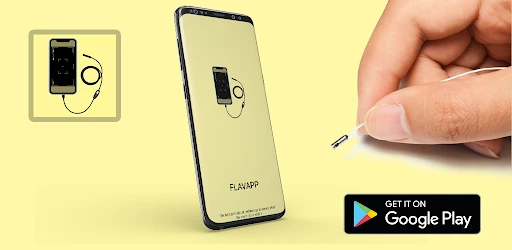
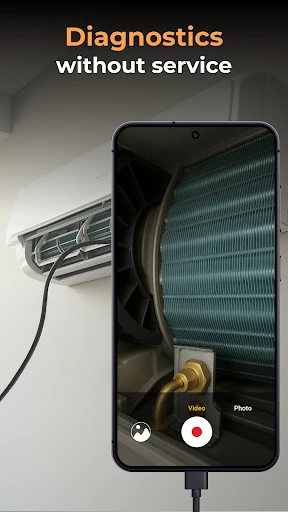
Exploring the Depths with Camera Endoscope / OTG USB
Ever been stuck trying to see what's going on in a super tight space at home or in your car? I recently found this clever little device that could become your new go-to helper. Let me tell you about the Camera Endoscope with OTG USB, a tool that's going to simplify your life.
First Look and Getting Started
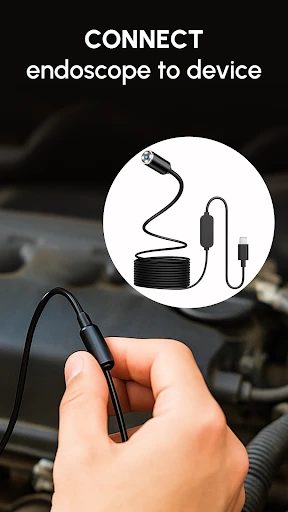
I have to admit, when I first unpacked this gadget, I had my doubts. How effective could a camera on a bendy wire really be? But I was pleasantly surprised. Getting it ready was super simple. Just download the companion app, connect your endoscope, and your phone screen instantly becomes a viewfinder for those impossible-to-see spots. The app is really user-friendly, so you don't need to be a tech expert to figure it out.
A Closer Look: What It Can Do
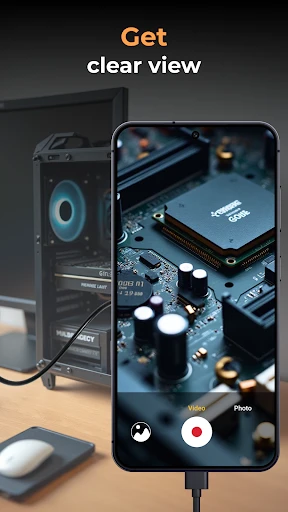
Once it's connected, the Camera Endoscope really impresses with its sharp, high-quality picture. The view is clear and detailed, which is exactly what you need for diagnosing problems in cramped areas. Whether you're looking deep inside a car engine or checking out a pipe, this device does the job. The little LED lights on the camera head are brightness-adjustable, so you always have just the right amount of light.
What really stood out to me was the cable. It's plenty long to get into the depths of machinery and super bendy to snake around tight bends. On top of that, the app lets you capture photos and videos, which is super useful for keeping a record of what you find.
Putting It to Use
You might be asking yourself, "Is this thing actually useful for me?" Believe me, after you use it once, you'll be hooked. For anyone who loves do-it-yourself projects, it's a total revolution. I used mine to check the pipes under my kitchen sink and saved myself a expensive call to a plumber. Car enthusiasts will also get a lot out of it – imagine having a mechanic's inspection camera to help you find faulty connections or small leaks.
And even if you're not the handy type, it's still incredibly handy. Ever lost something behind a heavy cabinet or under the stove? This endoscope makes finding it easy. It's also just plain fun for a bit of exploration – like going on a high-tech scavenger hunt around your own house!
Wrapping Up
In the end, the Camera Endoscope with OTG USB is more than just a novelty; it's a genuinely helpful tool for all sorts of situations. It's small, straightforward to use, and very affordable. Okay, you probably won't need it daily, but on those occasions when you do, you'll be so happy it's in your drawer. If you enjoy troubleshooting and fixing things yourself, this endoscope is absolutely worth a look.
So, whether you're a DIY master, an adventurous soul, or just someone who likes to be ready for anything, this gadget could be the perfect new item for your toolbox. Try it out and discover what secrets are hiding in plain sight!
Advantages
- High-quality imaging for precise diagnostics
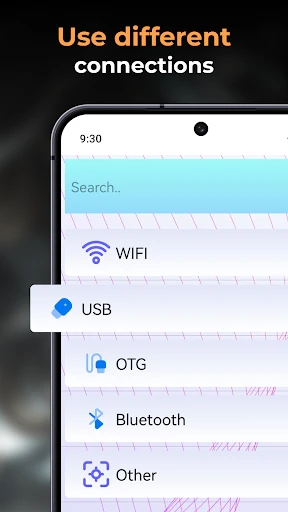
- Easy connection with OTG USB support
- Compact design for portability
- User-friendly interface for beginners
- Compatible with multiple devices
Disadvantages
- Limited compatibility with older phones
- Requires stable internet for updates
- Battery drains quickly with usage
- Limited customer support options
- App contains in-app purchases
Frequently Asked Questions
Q: What is Camera Endoscope/OTG USB and how does it work?
A: Camera Endoscope/OTG USB is an app that allows users to connect an external camera or endoscope to their Android or iOS device using an OTG (On-The-Go) USB connection. This setup is particularly useful for inspecting hard-to-reach areas. The app provides a live feed from the camera, enabling users to view and capture images or videos directly on their mobile device.
Q: What are the key features of Camera Endoscope/OTG USB?
A: The key features of Camera Endoscope/OTG USB include real-time video streaming, image and video capture, adjustable resolution settings, and compatibility with a wide range of USB cameras and endoscopes. The app also supports additional functionalities such as zoom, brightness adjustment, and image rotation, enhancing the user’s inspection capabilities.
Q: Is Camera Endoscope/OTG USB compatible with all mobile devices?
A: Camera Endoscope/OTG USB is compatible with most Android and iOS devices that support OTG USB connections. However, it's crucial to check if your specific device model supports OTG functionality. You may need to enable OTG in your device's settings or use an OTG adapter to connect the external camera.
Q: Are there any additional accessories required to use Camera Endoscope/OTG USB?
A: To use Camera Endoscope/OTG USB, you will need an OTG-compatible mobile device and a USB camera or endoscope. In some cases, an OTG adapter might be necessary if your device does not have a direct USB port. Ensure that your external camera is compatible with the app for seamless operation.
Q: What are some common issues users face with Camera Endoscope/OTG USB and how can they be resolved?
A: Common issues with Camera Endoscope/OTG USB include connectivity problems, app crashes, and low video quality. To resolve these, ensure your device supports OTG, restart the app or device, and check for app updates. Additionally, verify that the USB camera is functioning correctly and is compatible with the app.
Technical Information
Recommended for You

Music Recognition

Mistplay Cash: Play and Earn

Boat AI Browser: Web & Tools

Fallout Pip-Boy SE Watch Face

Familo: Find My Phone Locator

AI Logo Generator, Logo Maker

ASD Player

Apple TV

BeSoccer - Soccer Live Score

Super Slime Simulator: DIY Art

Kodi

Find Your Phone By Clap

Plant App - Identifier & Care

Jimmy John's Sandwiches

Kelley Blue Book: We Know Cars

Spotify for Creators

NBA: Live Games & Scores

Mirror App - Makeup Mirror

Guide For Stardew

LightInTheBox Online Shopping

DayComics

My Tide Times - Tables & Chart

OfferUp: Buy. Sell. Simple.
