
SmartThings
SmartThings connects your smart home devices
Screenshots
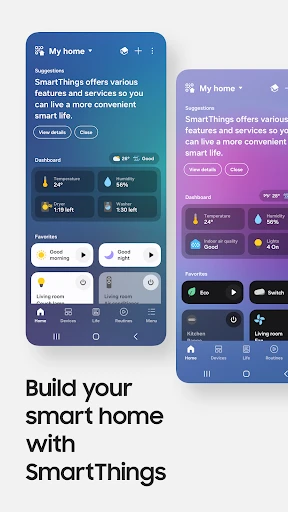
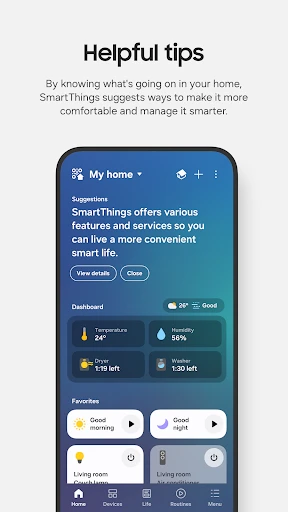
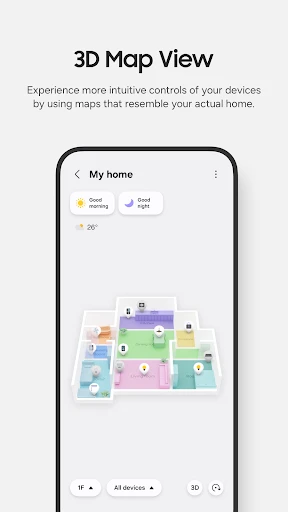
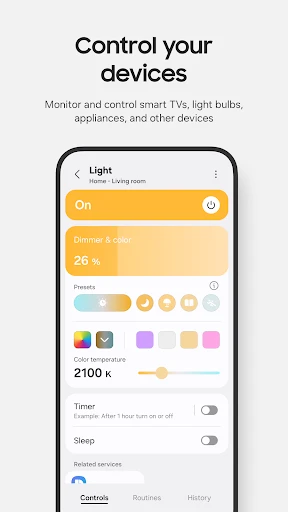
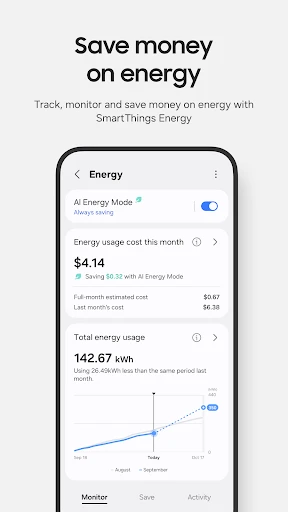
Get Smart with SmartThings!
Hey everyone, tech fans! Have you ever imagined being able to control everything in your home right from your phone? Let me tell you about SmartThings, the app that acts like a universal remote for all your smart home gadgets. We're going to explore this convenient world and find out why this app is essential for anyone who loves technology.
So, What Exactly is SmartThings?
Think about having all your smart devices—your lights, door locks, thermostat, and cameras—all managed from one single spot. Sounds perfect, doesn't it? Samsung's SmartThings is what makes that possible! It's the central hub for all your connected gadgets, letting you control them without any hassle. Whether you're relaxing at home or traveling far away, SmartThings keeps you in touch with your house.
Getting Started is Super Simple
Getting SmartThings up and running is really straightforward. Just download the app from your phone's app store, and you're pretty much set. The app walks you through the setup process with clear, step-by-step instructions. Linking your devices is usually smooth, though you might need a bit of extra patience for a gadget that doesn't connect right away.
Handy Features for Everyday Life
Now, onto the cool features! SmartThings allows you to automate your everyday tasks without any trouble. You can program your lights to switch on when you walk into a room or have your coffee machine begin brewing the moment you wake up. It feels just like living in a sci-fi movie!
I really love the Scenes function. You can create custom scenes for different parts of your day or for specific moods. Planning a cozy night in? Just tap the ‘Movie Night’ scene, and suddenly the lights go low and your entertainment system powers up. It's these smart automations that make using SmartThings so much fun.
Keeping Your Home Safe and Secure
These days, feeling secure is really important, and SmartThings handles this well. You can watch live feeds from your home security cameras, get immediate notifications if something seems off, and even control your door locks from anywhere. It’s like having your own security team, but without the high cost!
Device Compatibility: The Good and The Not-So-Good
It's true that SmartThings works with a lot of devices, but it's important to know that not every gadget will connect perfectly. Some brands work together more smoothly than others, so it's a good idea to double-check if your devices are supported before you commit. Having said that, the app does work with a huge variety of products, from the big names to more niche brands.
Wrapping Up Our Thoughts
To sum it all up, SmartThings is an excellent app for anyone wanting to simplify and enhance their smart home. It provides user-friendly control, a wide range of features, and the power to automate your routine. Yes, you might run into a small issue with a device now and then, but the advantages are much greater than the occasional drawback. So, if you're thinking about making your home smarter, you should definitely test out SmartThings. Believe me, after you experience a smart home, you'll wonder how you ever lived without it
Advantages
- Easy integration with various smart devices.
- User-friendly interface and setup.
- Supports voice control with Alexa and Google.
- Wide range of compatible devices.
- Reliable performance and connectivity.
Disadvantages
- Limited support for some third-party devices.
- Occasional app crashes reported.
- Requires stable internet connection.
- Complex automation rules can be confusing.
- Some features locked behind premium.
Frequently Asked Questions
Q: What is SmartThings and how does it work?
A: SmartThings is a smart home automation platform developed by Samsung that allows users to connect, monitor, and control their smart devices through a single app. By integrating with a wide range of compatible devices such as lights, cameras, thermostats, and more, SmartThings provides a seamless experience for managing your home environment. The app supports automation rules and voice control, making home management more efficient and convenient.
Q: Is SmartThings compatible with my existing smart devices?
A: SmartThings boasts a broad compatibility list, supporting hundreds of smart devices from various manufacturers. It works with Samsung products as well as other brands like Philips Hue, Ring, Nest, and more. Before downloading the app, it's advisable to check the SmartThings compatibility list on their official website to ensure your devices are supported.
Q: Does SmartThings require any additional hardware to function?
A: While the SmartThings app itself does not require additional hardware, some functionalities may depend on a SmartThings Hub. The hub is necessary for connecting Zigbee and Z-Wave devices. However, many Wi-Fi-enabled devices can connect directly to the app without the need for a hub. Assess your device setup to determine if a hub is necessary for your needs.
Q: Is SmartThings secure to use for my home automation?
A: Security is a major focus for SmartThings, employing robust encryption protocols to protect user data. The platform regularly updates its security measures and encourages users to maintain strong, unique passwords. Despite the strong security features, it's essential for users to stay vigilant and follow best practices for smart home security. Always keep your app and connected devices up to date to minimize vulnerabilities.
Q: Can SmartThings be controlled via voice assistants?
A: Yes, SmartThings integrates smoothly with popular voice assistants like Amazon Alexa and Google Assistant. This feature allows users to control their smart devices using voice commands, providing hands-free convenience. By linking your SmartThings account with your chosen voice assistant, you can perform tasks such as turning on lights, adjusting thermostats, and more, simply by speaking.
Technical Information
Recommended for You

SoulChill - Voice Chat & Party

Mirror Link Car

Beauty Camera -Selfie, Sticker

Crafto

NordVPN – fast VPN for privacy

Text Free: Second Call Number

Police Radar - Camera Detector

HotelTonight: Hotel Deals

Signia App

Garmin ActiveCaptain®

PSWaves Live Wallpapers

Smith's

Inkitt: Books, Novels, Stories

Status Saver - Video Saver

QR Scanner

SuperImage Pro - AI Enhancer

Poster Maker - Flyer Maker

Cartoonify Me – Toon Photos

Url Player +

Photo Video Maker Music Song

Pawp: 24/7 Vet & Pet Care

Globoplay: BBB 25, novelas e +

Liven: Discover yourself
