
Publix Pharmacy
Prescription Refills For Busy Families
Screenshots
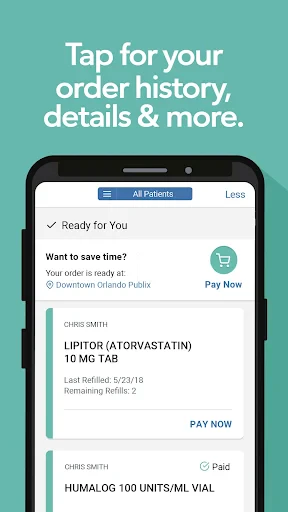
Your Pocket-Sized Publix Pharmacy
Publix Pharmacy is an app crafted to bring the convenience of pharmacy services right to your fingertips. Available on both Android and iOS platforms, this app is designed to make managing prescriptions a breeze. But does it really live up to the expectations? Let's dive in and see what this app has to offer.
chapter1 Getting Your Pharmacy App Up and Running
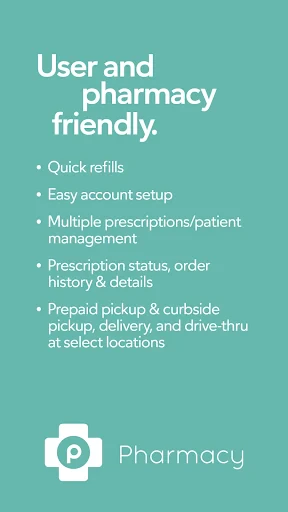
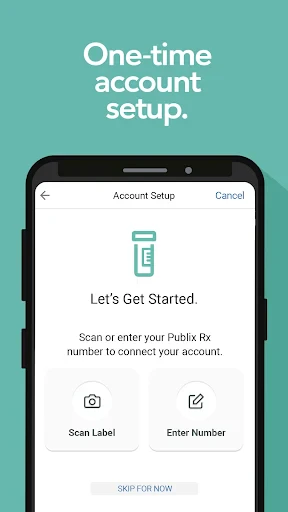
Once you download the Publix Pharmacy app, setting up is a straightforward process. You just need to create an account or log in if you're already a Publix user. The app's interface is clean and intuitive, which makes navigation a walk in the park. With just a few taps, you can transfer prescriptions, manage refills, and even set reminders for when it’s time to take your medication. It’s like having your own personal pharmacist in your pocket!
chapter2 Handy Tools You'll Actually Use
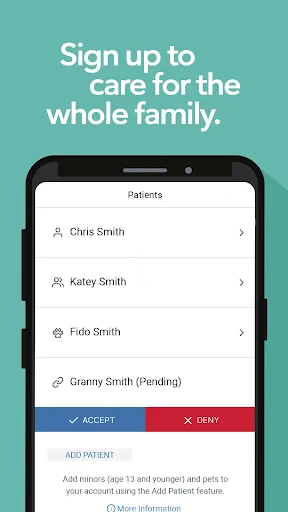
One of the standout features of the Publix Pharmacy app is its ability to manage multiple prescriptions at once. If you’re someone who juggles several medications, this feature is a lifesaver. You can view all your prescriptions in one place and even get alerts when they’re ready for pickup. The app also offers a pharmacy locator, which is super handy if you’re traveling and need to find a Publix nearby.
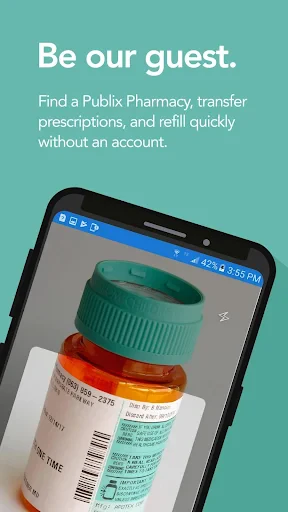
Another nifty feature is the ability to scan your prescription bottle for quick refills. No more typing out long prescription numbers or waiting on hold to speak with someone at the pharmacy. Just scan and go! Plus, the app keeps track of your prescription history, which can be useful for future reference or medical appointments.
chapter3 How the App Feels to Use Day-to-Day
Using the Publix Pharmacy app is a smooth experience overall. The app performs well without any noticeable lag or crashes, which is crucial for something as important as managing your health. Notifications are timely and not intrusive, making sure you stay informed without being overwhelmed.
However, like any app, there are occasional hiccups. Some users have noted that the app logs them out unexpectedly or that they encounter errors when trying to refill prescriptions. While these issues aren’t deal-breakers, they can be a bit frustrating if you’re in a hurry.
chapter4 Is This App Right for You?
In conclusion, the Publix Pharmacy app is a solid choice for anyone looking to simplify their pharmacy experience. It’s packed with useful features that cater to the needs of both regular and occasional users. While it has a few minor kinks to iron out, the overall experience is positive. If you’re already a Publix customer, this app is definitely worth a try. It’s like having a mini pharmacy right in your pocket, ready to assist you whenever you need it. So why not give it a whirl and see how it can make your life a bit easier?
Advantages
- User-friendly interface for easy navigation
- Refill prescriptions with just a few taps
- Access to detailed medication information
- Reminders for medication and refills
- Integration with Publix grocery shopping
Disadvantages
- Limited to Publix pharmacies only
- Occasional app crashes reported
- No option for prescription delivery
- Limited customer support availability
- Requires internet connection to function
Frequently Asked Questions
Q: What services does the Publix Pharmacy app offer?
A: The Publix Pharmacy app provides a range of services, including prescription refills and transfers, medication reminders, and the ability to check prescription status. Users can also access their medication history and learn more about each medication. Additionally, the app offers health and wellness tips to help users manage their health more effectively.
Q: Is the Publix Pharmacy app free to use?
A: Yes, the Publix Pharmacy app is completely free to download and use. There are no hidden fees or subscription costs associated with accessing its features. Users can enjoy all the services provided by the app without any financial commitment, making it accessible to everyone who needs pharmacy services.
Q: Can I manage multiple prescriptions with the Publix Pharmacy app?
A: Absolutely, the Publix Pharmacy app allows users to manage multiple prescriptions conveniently. You can add all your family members' prescriptions and manage them from a single account. This feature is particularly useful for caregivers or those managing medications for multiple people, ensuring everyone’s prescriptions are up-to-date and easily accessible.
Q: How secure is my information on the Publix Pharmacy app?
A: The Publix Pharmacy app prioritizes user privacy and data security. It uses advanced encryption technologies to protect your personal and prescription information. The app complies with all relevant privacy regulations, ensuring that your data is safe from unauthorized access. You can use the app with confidence knowing your information is secure.
Q: What devices are compatible with the Publix Pharmacy app?
A: The Publix Pharmacy app is compatible with both Android and iOS devices. Users can download it from the Google Play Store for Android devices and the Apple App Store for iOS devices. The app is designed to work seamlessly on smartphones and tablets, ensuring a smooth user experience across different platforms.
Technical Information
Recommended for You

Parental Control App- FamiSafe

Pain Tracker & Diary

OmeTV – Video Chat Alternative

Live Mic to Bluetooth Speaker

CVS Specialty

Cash App

Toyota

DeepL Translate

IXL

Five Below

DreamPic - AI Image Generator

JoyPlan - Home design 3D

Android Ringtone Songs

Magic Toon

Brightspace Pulse

Pingo by Findmykids

Key Collector Comics

Mega Pack r.485

PixAI: AI Anime Art Generator

Face Recognition

FIFA Official App

MyRadar Weather Radar Pro

Angi: Hire Home Service Pros
