
YouCam Perfect - Photo Editor
Perfect Selfies And Photo Editing For Everyone
Screenshots
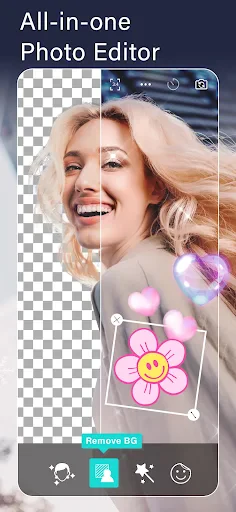
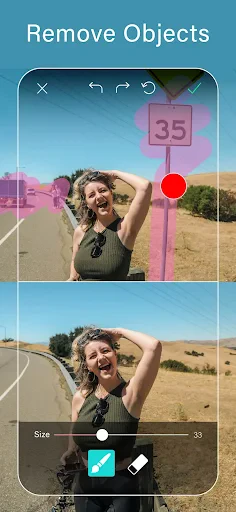
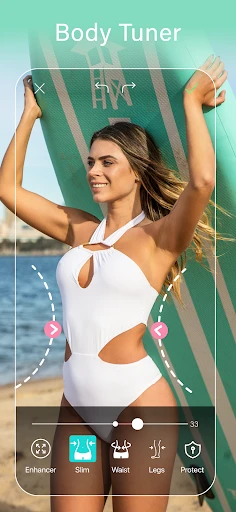
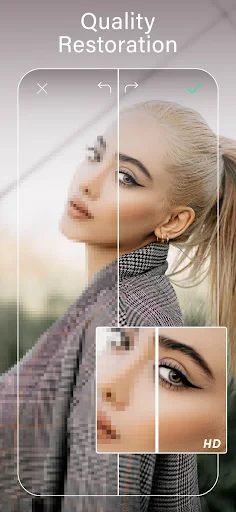
YouCam Perfect: The Magic Wand for Your Photos
Ever found yourself scrolling through your camera roll, wishing your selfies had that extra pop or your landscape shots were just a bit more dramatic? Well, folks, YouCam Perfect might just be the magic wand your photos have been waiting for. This versatile photo editing app, available on both Android and iOS, promises to turn your ordinary snaps into stunning masterpieces with just a few taps.
A Toolkit for Picture Transformation
Right from the start, YouCam Perfect wins you over with its simple and easy-to-use layout. Even if you usually get nervous about editing pictures, this app makes everything straightforward. You have a full set of editing tools ready to go—from simple actions like cropping and straightening to more powerful features like deleting unwanted objects or swapping out the background. And of course, there's a huge collection of filters and effects that can make any photo look like it was taken by a pro.
Your Pocket-Sized Glam Squad
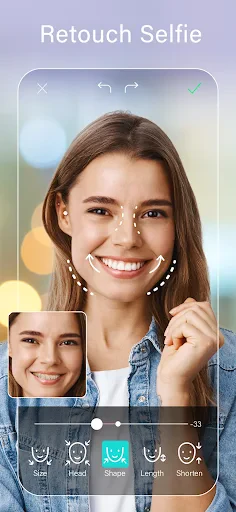
Let’s talk about the Beauty Camera. If you love taking selfies, this is where YouCam Perfect really stands out. The app gives you live beautifying effects that can soften your skin, make your eyes sparkle, and even adjust your facial shape if you want to try something new. It’s like having your own makeup and styling team right inside your phone.
Design Your Own Photo Layouts
Feeling creative? The app’s collage maker and frames section let you combine your pictures to build attractive designs. Whether you’re putting together vacation memories or just want to share several moments in a single image, the collage tool is both enjoyable and simple to use. What’s more, with holiday and special event frames, your photos will always be dressed for the moment.
Show Off Your Masterpieces
After you’ve made your photos look perfect, showing them off is a breeze. YouCam Perfect works smoothly with social media apps, letting you post your edited pictures straight to Instagram, Facebook, or any other platform you like. The app even lets you create your own custom watermarks to put a unique signature on the images you share.
Wrapping It Up
In summary, YouCam Perfect is a great pick for anyone wanting to improve their photos without getting lost in complicated professional software. It’s filled with tools that work for both everyday users and photo hobbyists. So, if you’re looking for an app that can both prettify and power up your pictures, give YouCam Perfect a try. You might just discover yourself taking more photos—and grinning more often.
Advantages
- User-friendly interface for easy editing.
- Wide range of filters and effects.
- High-quality photo retouching tools.
- Supports background removal and object removal.
- Regular updates with new features.
Disadvantages
- Contains in-app purchases for advanced features.
- Free version includes ads.
- May require internet for certain features.
- Large app size could affect device storage.
- Some features need premium subscription.
Frequently Asked Questions
Q: What features does YouCam Perfect offer for photo editing?
A: YouCam Perfect provides a comprehensive suite of photo editing tools including beautification, object removal, background changing, and collage making. It also offers a wide range of filters and effects to enhance your photos. Users can enjoy both basic and advanced editing features that cater to both casual users and photography enthusiasts alike.
Q: Is YouCam Perfect free to use?
A: Yes, YouCam Perfect is free to download and use. However, it offers in-app purchases for premium features and content. Users can opt for a subscription plan to access all advanced features and remove ads. The free version still provides a robust set of tools for basic photo editing needs.
Q: Can YouCam Perfect be used offline?
A: Yes, YouCam Perfect can be used offline for most of its features. However, certain functions like downloading new filters or effects may require an internet connection. Offline access allows users to edit photos without needing a constant internet connection, making it convenient for on-the-go editing.
Q: How does YouCam Perfect handle user privacy and data security?
A: YouCam Perfect takes user privacy seriously and implements security measures to protect user data. The app requires permissions to access your photos and camera, but it does not store or share your photos without consent. Users are encouraged to review the privacy policy for detailed information on data handling practices.
Q: What are the system requirements for installing YouCam Perfect?
A: YouCam Perfect is compatible with both Android and iOS devices. For Android, it requires version 5.0 and up, while iOS devices need to be running iOS 10.0 or later. Ensure your device meets these requirements to enjoy a smooth and seamless photo editing experience without any compatibility issues.
Technical Information
Recommended for You

Transit • Subway & Bus Times

PolyBuzz: Chat with AI Friends

Badi – Rooms & Flats for rent

FlightAware Flight Tracker

Ghibli & Photo Enhancer, Evoke

Remote Play Controller for PS

Google Photos

Cox Panoramic Wifi

iQIYI - Drama, Anime, Show

PDF Reader - All PDF Viewer

Obsidian

Invoice Maker & Estimate Maker

J23 - Jordan Release Dates

Bikemap: Cycling Tracker & GPS

Find My Phone By Clap

Fishing forecast

AndroPods - Airpods on Android

Common Sense Media

World History Atlas

Yelp for Business

Dofu - NFL Live Streaming

Toomics - Read Premium Comics

Clock Launcher: Set Alarms
