
FaceLab Face Editor App, Aging
FaceLab Age Editor For Fun Photos
Screenshots
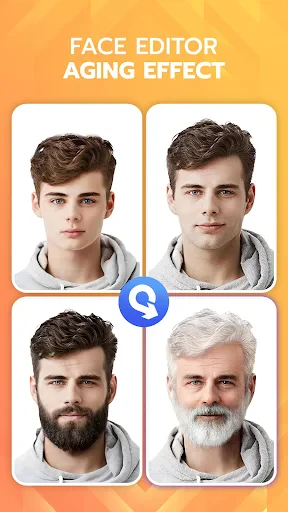
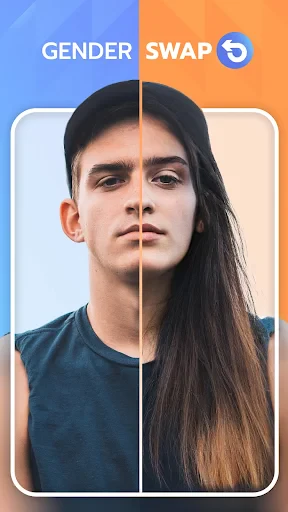
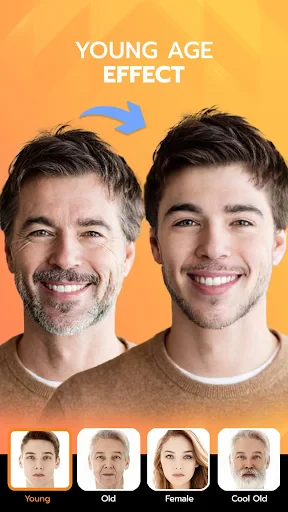
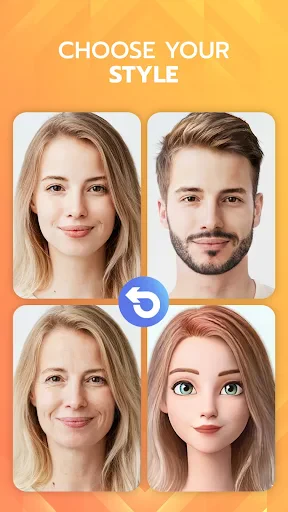
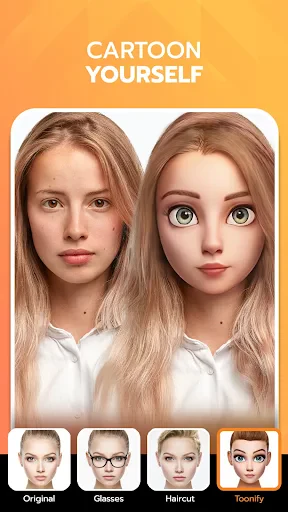
Have you ever wondered what you might look like in a few decades, or perhaps how you would appear with a different hairstyle or facial feature? Enter the FaceLab Face Editor App, a nifty little tool that's been making waves among both Android and iOS users. This app is all about giving you a peek into the future or simply transforming your current look with its incredible editing features.
Getting Your Digital Makeover Started
Jumping into FaceLab is like stepping into a digital makeover studio. The app is super easy to navigate, which is a big plus if you're like me and get easily lost in complex interfaces. Once you download and fire up the app, you're greeted with a clean, intuitive design that makes it a breeze to find your way around. I immediately noticed how fast it loaded, which is always a good sign when you're eager to start experimenting with your photos.
The App's Coolest Tricks
So, what can you actually do with FaceLab? Well, a whole lot more than just the usual filters. One of the coolest features is the aging tool, which lets you see what you'd look like at different ages. It’s surprisingly accurate and a little bit eerie in the best possible way! Whether you want to jump ahead to see those silver locks or just add a few years, it’s all possible with a simple swipe.
Beyond aging, FaceLab offers a plethora of editing options. Want to try out a new hairstyle or beard? No problem. The app has a vast library of styles you can apply to your photos. There's also a makeup tool to enhance facial features, and even options to tweak your facial structure, which is perfect for those who love to see themselves in different avatars.
How Well Does It Really Work?
Performance-wise, FaceLab runs smoothly on both Android and iOS devices. I tested it on a mid-range Android phone, and the app handled everything I threw at it with ease. The edits apply quickly, and the app doesn’t lag, which is crucial for a seamless user experience. Plus, it doesn’t bombard you with ads, which is a huge relief.
The user experience is further enhanced by the app’s social media integration. After editing, sharing your new look with friends is just a tap away. Whether you’re posting on Instagram or sending a quick snap via WhatsApp, FaceLab makes it easy to show off your digital transformations.
Wrapping Up the FaceLab Experience
All in all, the FaceLab Face Editor App is a delightful tool for anyone interested in photo editing and digital makeovers. Whether you’re curious about aging effects or just want to have fun with different looks, this app has got you covered. It’s user-friendly, offers a range of features, and performs well without unnecessary interruptions. If you haven’t tried it yet, I’d say it’s definitely worth a download.
Advantages
- User-friendly interface.
- Realistic aging effects.
- Variety of editing tools.
- Quick processing time.
- Regular updates.
Disadvantages
- Contains ads.
- Limited free features.
- In-app purchases required.
- May crash occasionally.
- Privacy concerns.
Frequently Asked Questions
Q: What features does FaceLab Face Editor offer for aging effects?
A: FaceLab Face Editor provides a variety of aging effects that allow users to visualize how they might look at different ages. The app includes advanced filters and tools to simulate wrinkles, gray hair, and other age-related changes, offering a realistic preview. Users can adjust the intensity of these effects to achieve the desired outcome.
Q: Is FaceLab Face Editor easy to use for beginners?
A: Yes, FaceLab Face Editor is designed with a user-friendly interface that caters to beginners. The app offers guided tutorials and intuitive controls that make it easy to apply effects and edit photos. Even users with no prior experience in photo editing can navigate the app and achieve impressive results with minimal effort.
Q: Does FaceLab Face Editor require an internet connection to function?
A: FaceLab Face Editor primarily functions offline, allowing users to edit their photos without an internet connection. However, certain features, like downloading additional filters or updates, may require connectivity. This means users can enjoy most of the app's functionalities even in areas with limited or no internet access.
Q: Are there any in-app purchases in FaceLab Face Editor?
A: Yes, FaceLab Face Editor offers in-app purchases to enhance user experience. While the app itself is free to download, users can purchase additional filters, effects, and tools. These purchases can unlock premium features, offering more customization options and improving the overall editing experience.
Q: Is FaceLab Face Editor available on both Android and iOS platforms?
A: FaceLab Face Editor is available for download on both Android and iOS platforms. Users can find the app on Google Play Store for Android devices and the Apple App Store for iOS devices. This cross-platform availability ensures that a wide range of users can enjoy the app's features regardless of their device type.
Technical Information
Recommended for You

ReShot : AI Photo Generator

Jeep®

Earth Map Satellite Live View

GIANT

UAV Forecast for Drone Pilots

Edits, an Instagram app

Zedge™ Wallpapers & Ringtones

FitPix - Face & Body Editor

BATTLE ROYALE CHAPTER 5

Memrise: Languages for life

My Diary - Daily Diary Journal

مایکت فیلم | Myket Film

Canva: AI Photo & Video Editor

Volume Booster - Loud Speaker

NCPMobile: Shopping Rewards

Amazon Kindle

OpenTable

Wallpaper 4K HD – Wallcraft

Dreame-Read Romance Stories

Spond - Sports Team Management

Local by Toast

Fox News - Daily Breaking News

aTranslator - Text & Voice
