
Timestamp Camera
Timestamp Camera Photo Video Location Recorder
Screenshots
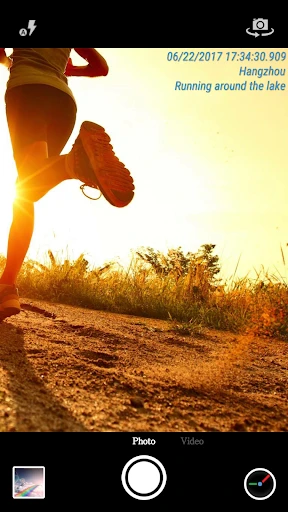
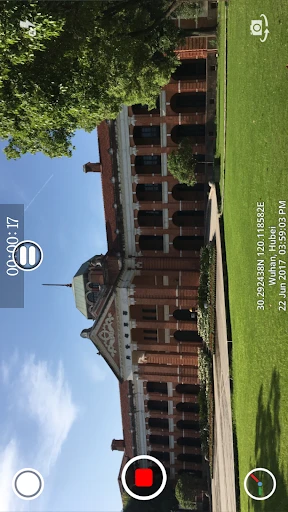
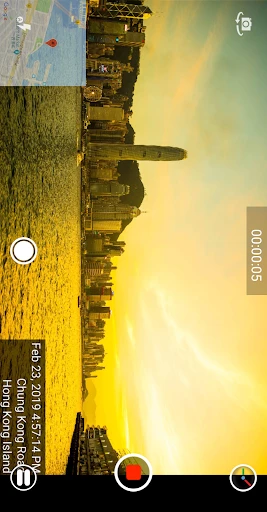
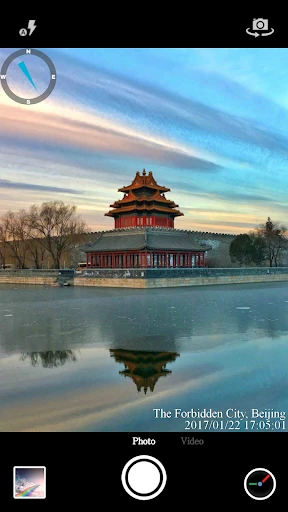
Timestamp Camera: Organize Your Memories with Precision
Timestamp Camera is an intriguing app designed to make your photos and videos more organized and meaningful by adding date and time information directly onto them. It’s quite the tool, especially if you’re someone who loves documenting every moment with precision. Let’s dive into what this app has to offer and whether it’s worth giving a shot.
Features That Make a Difference
Right off the bat, you'll see that Timestamp Camera is super easy to use. It’s got a simple layout that lets you jump right in and start snapping pictures without any fuss. You can tweak the timestamp to show the date, the time, or mix and match both. With more than 20 different styles to pick from, you're sure to find one that fits your needs.
A really handy feature is the live timestamp. This means the current time gets stamped onto your photos and videos as you're taking them. It's awesome for catching those off-the-cuff moments exactly when they happen.
Make It Your Own
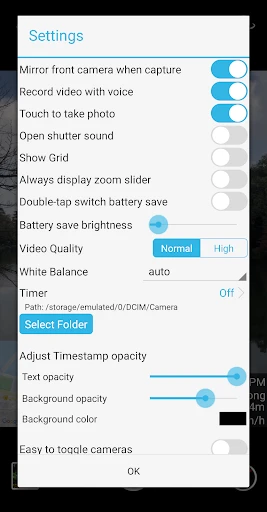
Where this app really shines is in how much you can customize things. You can move the timestamp around, change its font, color, and size so it looks just right and doesn't mess up your shot. A lot of apps don't give you this much freedom, so it's a nice bonus here.
And for all you live streamers out there, this app has you covered too. You can add a live timestamp while broadcasting on apps like Facebook and Instagram, letting all your viewers know the real-time details.
How It Holds Up Day-to-Day
Using Timestamp Camera is a breeze, even for tech novices. The app runs smoothly with minimal lag, which is crucial when you’re capturing important moments. I found that the timestamps were accurate and didn’t affect the quality of the photos or videos, which can be a concern with some similar apps out there.
On the flip side, the app does have ads. They aren't constant, but they do show up now and then, which might be a little annoying. But since the core app is free, it's a trade-off that's pretty easy to live with.
Is It Right For You?
If you like having a clear record of when your photos and videos were taken, then you should definitely check out Timestamp Camera. Its ability to customize and stamp in real-time makes it a great pick. You might just want to put up with the occasional ad, or maybe upgrade to the paid version to get rid of them completely.
All in all, Timestamp Camera delivers on its promise. It's a clever little app that adds a useful touch of detail to your photos and videos. Why not download it and see how it can spice up your picture-taking?
Advantages
- High accuracy in timestamping
- Easy-to-use interface
- Supports multiple formats
- Customizable date & time formats
- Works offline smoothly
Disadvantages
- Limited editing features
- Watermark on free version
- Ads in free version
- No cloud backup
- Battery consumption is high
Frequently Asked Questions
Q: What are the main features of Timestamp Camera?
A: Timestamp Camera is renowned for its ability to add timestamps to photos and videos in real-time with unparalleled precision. Key features include over 80 timestamp formats, the ability to add location, altitude, and weather information, and customizable font and timestamp position. Users can also record videos with different orientations and resolutions, making it versatile for both casual and professional use.
Q: Is Timestamp Camera available for free?
A: Yes, Timestamp Camera offers a free version with basic functionalities. However, for users looking to unlock advanced features such as ad removal, more timestamp formats, and additional customization options, a premium version is available through in-app purchases. This tiered pricing approach allows users to choose a plan that best suits their needs.
Q: How user-friendly is Timestamp Camera for beginners?
A: Timestamp Camera is designed with user-friendliness in mind, providing an intuitive interface that even beginners can navigate with ease. The app offers straightforward controls and a clean layout, ensuring that users of all tech levels can quickly learn to add timestamps to their media. Additionally, online tutorials and customer support are available to assist users as needed.
Q: Can Timestamp Camera be used for professional purposes?
A: Absolutely, Timestamp Camera is equipped with features that cater to both casual users and professionals. Its ability to provide detailed timestamp information such as location and weather makes it ideal for professional documentation. Many users in fields such as construction, inspection, and journalism rely on its precise timestamping capabilities for accurate and reliable record-keeping.
Q: What are some potential drawbacks of using Timestamp Camera?
A: While Timestamp Camera is a powerful tool, it does have some limitations. Users of the free version may find the ads intrusive, and the app's advanced features are locked behind a paywall. Additionally, some users may experience performance issues on older devices, especially when recording high-resolution videos. It's important to weigh these factors before downloading.
Technical Information
Recommended for You

GIF Sticker & WAsticker

AI Dress up-Try Clothes Design

iDraw

Magic Toon

Copper: Play & Earn Cash Money

ETM: AI Art Generator

WeMuslim: Athan, Qibla&Quran

Google Maps Go

Scientific calculator plus 991

KeyConnect Digital Car Key

Remote for Fire TV & FireStick

Fandango - Buy Movie Tickets

SharkClean

MAC.BID

Wanderlog - Trip Planner App

NJ TRANSIT Mobile App

Pixel 4D™ Live Wallpapers

Music ringtones for android

Video Home - Speed Play

Text Free: Calling & Texting

Surveys On The Go

Remote for Roku: TV Remote

Snowflake rose gold watch face
