
GIF Maker, GIF Editor
Easily Create And Edit GIFs For Everyone
Screenshots
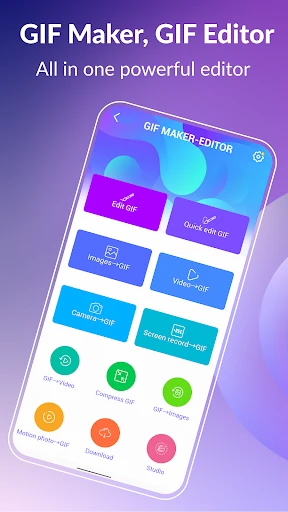
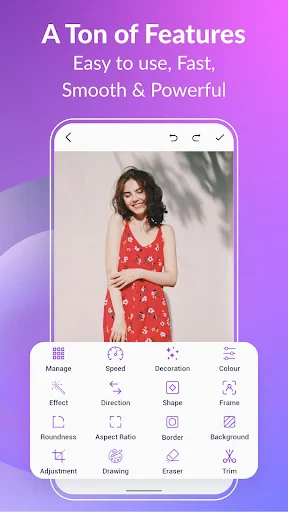
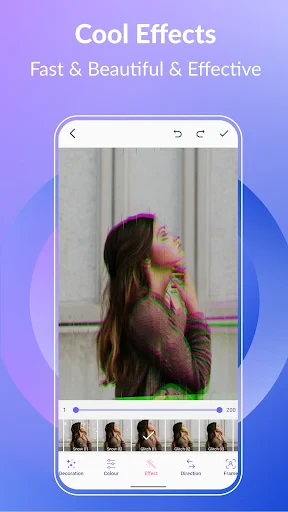
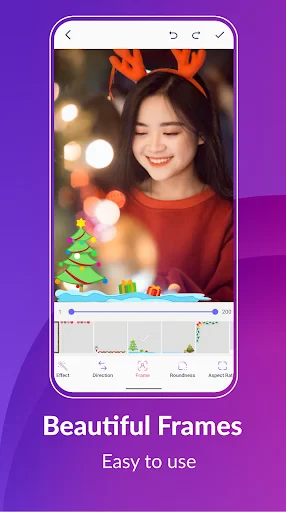
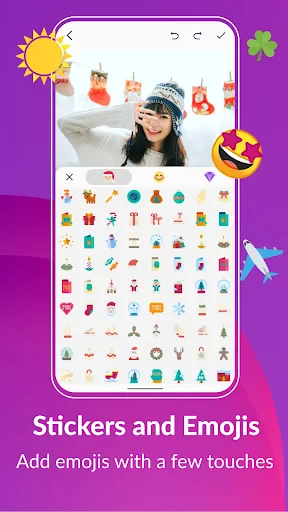
In the world of social media and instant communication, creating engaging content is key. That's where GIF Maker steps into the limelight, offering a perfect blend of creativity and fun. Whether you're a meme enthusiast or just love to share quirky moments, this app is designed to make your content pop!
Unleash Your Inner Creator
Starting with the basics, GIF Maker is your go-to app for crafting those eye-catching animations that flood your social feeds. The app is surprisingly user-friendly, even for those who aren't tech-savvy. Upon opening the app, you're greeted with a clean interface that screams simplicity. Everything you need is right at your fingertips.
Now, let's talk about features. You can create GIFs from videos, photos, camera shots, and even screen recordings. The app supports a wide range of formats, ensuring that you can turn almost anything into a GIF. The editing tools are robust, allowing you to trim, crop, and adjust the speed of your GIFs. Plus, with options to add filters, stickers, and text, your creativity is the only limit.
Why You'll Love This App
One of the standout features is the app's ability to support high-quality GIFs. That's right; gone are the days of pixelated animations. With GIF Maker, you can ensure your GIFs maintain their quality, making them perfect for professional use or just impressing your friends. Additionally, the app allows you to share your creations directly to your favorite social media platforms, making the process seamless and hassle-free.
Another great aspect is the real-time editing capability. You can see your changes as you make them, which is a huge time-saver. No more waiting around to see how your edits will turn out. It's all instant!
A Few Things to Keep in Mind
While GIF Maker is packed with features, there's always room for improvement. Some users might find the ad presence a bit distracting. However, considering the app is free, it's a small price to pay for the wealth of features it offers. There are in-app purchases available if you wish to remove ads and unlock additional features.
Also, while the app is generally intuitive, a brief tutorial for first-time users could enhance the user experience, especially for those who are new to GIF creation.
In conclusion, if you're looking to spice up your content with some animated flair, GIF Maker is a fantastic choice. It's packed with features that cater to both casual users and professionals alike. Despite a few minor drawbacks, the app delivers on its promise of easy and fun GIF creation. So, go ahead, give it a try, and watch your creativity come to life!
Advantages
- Easy to use interface for beginners.
- Wide range of editing tools available.
- Supports multiple file formats.
- Fast processing speeds.
- High-quality output GIFs.
Disadvantages
- Contains ads in free version.
- Limited features in free version.
- Occasional app crashes reported.
- Watermark on outputs in free version.
- Requires internet for some features.
Frequently Asked Questions
Q: What is GIF Maker, GIF Editor and what can I do with it?
A: GIF Maker, GIF Editor is a versatile application designed for creating, editing, and sharing GIFs. Users can transform videos or images into animated GIFs, customize them with text, stickers, or filters, and easily share their creations on social media platforms. It's perfect for anyone looking to add a creative touch to their digital content.
Q: Is GIF Maker, GIF Editor free to use?
A: GIF Maker, GIF Editor offers a free version with basic features for creating and editing GIFs. However, it also provides in-app purchases and a premium subscription option, which unlocks advanced tools, removes ads, and offers higher quality export options for a more professional experience.
Q: Which devices and operating systems support GIF Maker, GIF Editor?
A: GIF Maker, GIF Editor is available for both Android and iOS devices. It supports a wide range of smartphones and tablets running on these operating systems. Users should ensure their devices meet the app's minimum system requirements for optimal performance and access to the latest features.
Q: How user-friendly is GIF Maker, GIF Editor for beginners?
A: GIF Maker, GIF Editor is designed with an intuitive interface that caters to both beginners and advanced users. New users will find it easy to navigate through its features, while tutorials and help sections provide guidance for creating and editing GIFs. The app's layout ensures a smooth and enjoyable user experience.
Q: Can I share my GIF creations directly from the app?
A: Yes, GIF Maker, GIF Editor allows users to share their GIF creations directly from the app to various social media platforms such as Instagram, Facebook, and Twitter. The app provides options for exporting GIFs in different formats and sizes, making it convenient to share your animations with friends and followers instantly.
Technical Information
Recommended for You

Anime Avatar Maker & Creator

Tide Table Chart

Flashfood—Grocery deals

Hangouts

The New York Times: Live News

Hersheypark

Speak: Language Learning

Drum Pads - Beat Maker Go

Drawing Pad Pro - Sketchpad

D-ID: AI Video Generator

Smart & Final

DailyBible Lite - KJV Version

DSLR HD Camera : 4K HD Camera

Vizio Smart TV Remote

HelloTalk - Learn Languages

Busch Gardens

Glassdoor | Jobs & Community

Princess Cruises

CamToPlan

Face scan - How old do I look

FET: Connect, Date & Explore

Live Football TV Streaming HD

PixVerse: AI Video Generator
