
TV remote control for Roku
Roku Remote Control For Your TV
Screenshots
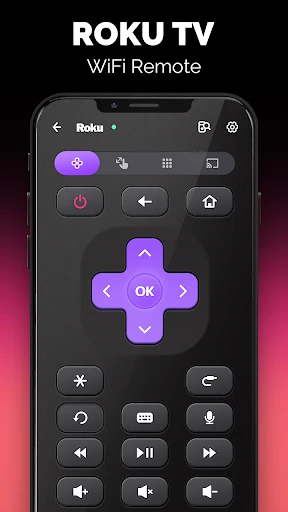
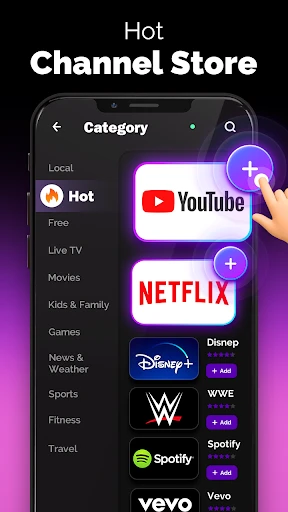
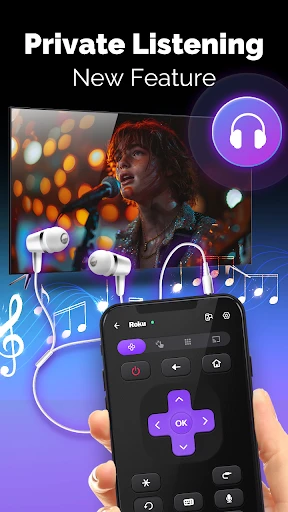
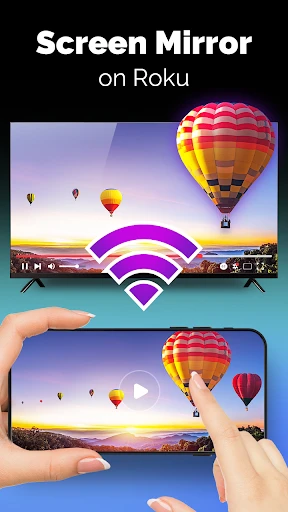
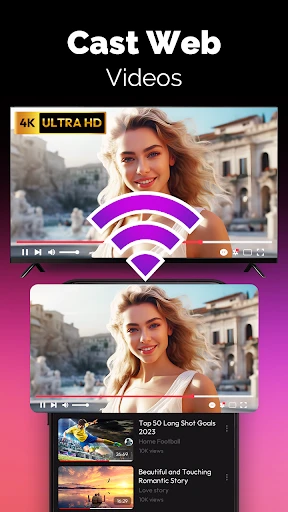
Getting Started with Roku Remote Control App
Alright everyone, let's talk about the TV Remote Control for Roku app. If you're tired of dealing with a pile of different remotes, this app aims to fix that by turning your phone into a simple controller. Let's see if it actually makes watching TV easier.
Initial Thoughts on the App
My first look at the Roku remote app was a good one. Downloading it was fast, and the layout was simple and not confusing at all. It felt like a relief compared to other apps that are too complicated. You just make sure your phone is on the same Wi-Fi as your Roku device, and you're all set to start using it right away.
Notable and Handy Features
This app does more than just change the channel. It comes with some clever tools that are really useful:
Voice Search: Don't feel like typing? Just use your voice to find movies or shows. It's perfect for when you're feeling lazy.
Private Listening: Want to watch without making noise? Just plug your headphones into your phone. This feature lets you listen privately without bothering anyone else.
Easy Channel Browsing: You can flip through channels by just swiping on your screen. It's a smooth way to surf without pressing a bunch of buttons.
How Well Does It Work?
After using the app for a while, I find it to be dependable. My phone connects to the Roku without much trouble, though sometimes a weak Wi-Fi signal can cause a brief glitch. For the most part, it works as it should and doesn't interrupt my movie nights.
A Few Areas That Could Be Better
Of course, nothing is without its flaws. I've noticed the app can drain my phone's battery a bit faster than I'd like, so keep that in mind for long viewing sessions. Also, while the app is easy to use, having a few more options to personalize the layout would be a nice upgrade for the future.
Overall Conclusion
So, should you get the TV Remote Control for Roku app? I'd say yes. It's a convenient tool that makes managing your TV less of a chore. The small downsides don't take away from the overall convenience it provides. If you have a Roku, it's definitely worth trying out to make your TV time more enjoyable.
Advantages
- Easy setup process
- User-friendly interface
- Works seamlessly with Roku devices
- Supports voice commands
- Responsive touch controls
Disadvantages
- Limited to Roku devices
- Requires stable Wi-Fi connection
- Ads in free version
- Some features need premium
- Occasional connection drops
Frequently Asked Questions
Q: What features does the TV remote control for Roku app offer?
A: The TV remote control for Roku app offers a comprehensive set of features, including the ability to navigate the Roku interface, launch channels, and control playback with ease. Users can also use the app to turn their smartphones into a keyboard for easier text entry and enjoy voice command functionality for hands-free operation. The app provides a seamless way to manage your Roku device without needing a physical remote.
Q: Is the TV remote control for Roku app compatible with all Roku devices?
A: Yes, the TV remote control for Roku app is designed to be compatible with all Roku streaming devices, including Roku TVs, Roku streaming sticks, and Roku boxes. Before downloading, ensure your Roku device is connected to the same Wi-Fi network as your smartphone for optimal performance and connectivity. This compatibility ensures users can enjoy a consistent experience across different Roku devices.
Q: Do I need an internet connection to use the TV remote control for Roku app?
A: Yes, an internet connection is required to use the TV remote control for Roku app. Both your smartphone and Roku device need to be on the same Wi-Fi network to communicate effectively. This requirement ensures that the app can send commands to your Roku device and provide a seamless remote control experience without any disruptions.
Q: What are the pros and cons of using the TV remote control for Roku app?
A: Pros of using the TV remote control for Roku app include the convenience of controlling your Roku device from your smartphone, additional features like voice commands, and the elimination of the need for a physical remote. However, cons may include potential connectivity issues if the Wi-Fi network is unstable, and the app may drain your phone's battery faster than usual due to continuous use.
Q: Is the TV remote control for Roku app free to download and use?
A: The TV remote control for Roku app is generally free to download and use, offering basic remote functionalities at no cost. However, some advanced features or an ad-free experience might require in-app purchases or a subscription. It's advisable to check the app's details on the app store for any potential costs before downloading.
Technical Information
Recommended for You

Boat AI Browser: Web & Tools

ESPN BET

Download video no watermark

Voice Recorder: Memos & Audio

Beauty Scanner - Face Analyzer

Guitar Tuner - LikeTones

Greeting Card Design

TeamReach - Your Team App

Reverb: Buy & Sell Music Gear

EasyPark - Parking made easy

All Video Downloader - V

Getcontact

Talkie: Creative AI Community

Brave Private Web Browser, VPN

Test DPC

ATM: Get Cash, Earn Rewards

GOAT – Sneakers & Apparel

Translator Woman's Voice - TTS

PDF Reader: PDF Scanner & Edit

Electrician's Bible

AI Chat: Ask AI Chat Anything

Open Radio - Online FM Radio

Noteshelf - Notes, Annotations
