
Google TV
Your Movies TV Shows All In One Place
Screenshots
Your New Favorite Way to Watch TV: A Look at Google TV
Bringing All Your Entertainment Together
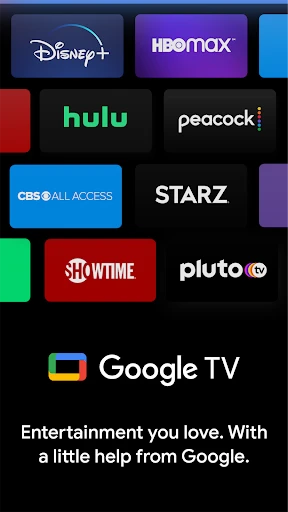
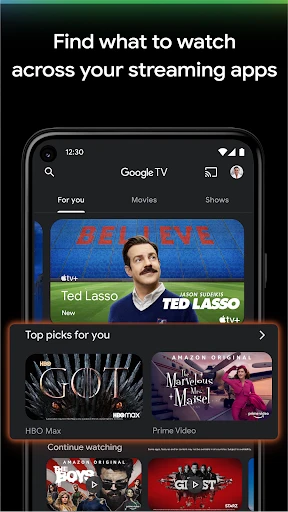
Tired of bouncing between a dozen different apps just to watch TV? Google TV aims to fix that by pulling all your favorite streaming services and channels into one simple, easy-to-use hub. Think of it as your entertainment command center, making movie night decisions a whole lot easier.
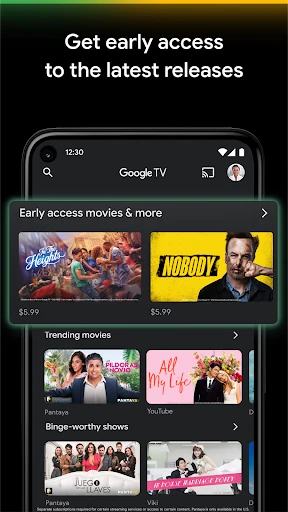
Getting started is a breeze. Once you're set up, you're met with a clean home screen that feels smart. It quickly learns what you're into and starts suggesting new shows and movies you might actually like. It’s surprisingly good at helping you discover your next binge-watch.
Make It Truly Yours
The ability to customize everything is a real highlight. You can set up the home screen just the way you want it, making sure your go-to apps are front and center. No matter if you live on Netflix or spend hours on YouTube, you can organize it all to fit your habits.
And let's talk about the Google Assistant. It’s a total game-changer. Just use your voice to search for a film, play the next episode, or even dim the lights. It’s like having the world’s most helpful remote control.
Never Miss a Live Moment
If you're someone who needs their live sports or breaking news, Google TV has you covered. It works with a bunch of apps to bring live TV right into the interface, so you can keep up with the game or the latest headlines without any fuss.
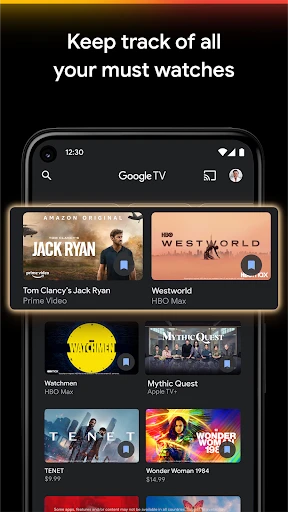
Plus, the Watchlist feature is a lifesaver. You can save anything you want to watch later from any service into one single list. No more forgetting that movie you meant to check out.
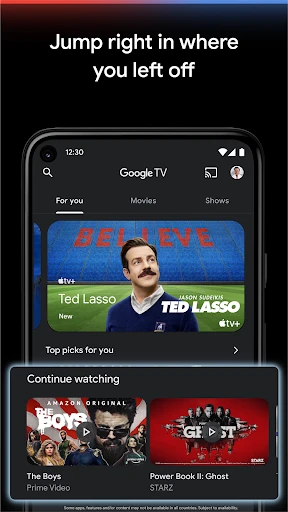
Pick Up Where You Left Off, On Any Screen
The best part might be how it connects all your devices. Your phone, your tablet, your TV—they all work together. You can start a show on your commute and then seamlessly continue watching from your couch the second you get home. It just works.
All in all, Google TV is a brilliant way to simplify your TV time. It’s smart, it’s personalized, and it’s packed with features that take the work out of watching. If you haven't given it a shot yet, it could easily become your new default for everything you watch.
Advantages
- Intuitive navigation and user-friendly interface.
- Seamless integration with Google services.
- Extensive library of streaming apps available.
- Personalized recommendations improve content discovery.
- Supports voice search for hands-free operation.
Disadvantages
- Limited compatibility with some older devices.
- Occasional lag in app performance.
- Certain content requires additional subscriptions.
- Ads can be intrusive at times.
- Setup process can be a bit complex for beginners.
Frequently Asked Questions
Q: What is Google TV and how does it differ from Android TV?
A: Google TV is a new interface built on top of Android TV that offers a more personalized and content-centric experience. Unlike Android TV, which primarily focuses on apps, Google TV emphasizes content discovery by curating recommendations and organizing them based on your viewing habits across various streaming services. Additionally, Google TV integrates Google Assistant more seamlessly, allowing for voice search and smart home device control.
Q: Can I use Google TV without a Google account?
A: While you can use the basic functions of Google TV without a Google account, having a Google account significantly enhances the experience. With a Google account, you can access personalized recommendations, sync your preferences across devices, and utilize Google Assistant for voice commands. Therefore, it's highly recommended to use Google TV with a Google account for the best experience.
Q: Does Google TV support 4K streaming and HDR content?
A: Yes, Google TV supports 4K streaming and HDR content, provided that your TV and the content itself are compatible. It offers a high-definition viewing experience with vibrant colors and detailed images. Make sure your internet connection is fast enough to handle 4K streaming to enjoy the best quality performance without buffering issues.
Q: What devices are compatible with Google TV?
A: Google TV is available on various devices, including the latest Chromecast with Google TV, select smart TVs, and streaming boxes running the software. Additionally, some older Android TV devices may receive updates to support Google TV. It's best to check with the manufacturer or the official Google website for a comprehensive list of compatible devices.
Q: How can I set up parental controls on Google TV?
A: Setting up parental controls on Google TV is straightforward. You can create individual profiles for family members and set age-appropriate content restrictions. Additionally, Google TV allows you to use Google Family Link to manage and monitor screen time, app usage, and more. This ensures a safe and controlled viewing environment for children and peace of mind for parents.
Technical Information
Recommended for You

Ghibli Style Cartoon - ToonApp

Holy Bible - KJV+Audio+Verse

Samsung Notes

MasterClass: Become More You

Windfinder: Wind & Weather map

Phone Tracker: Phone Locator

Menards®

Color by Letter: Sewing game

Wallpapers: 4K Live Wallpapers

Empower Personal Dashboard™

Thunderbird: Free Your Inbox

Whoosh

Zip News: Latest & Alerts

Fancy Keyboard Theme And Style

Badi – Rooms & Flats for rent

Twinkly

Philips HomeRun Robot App

Olive Garden Italian Kitchen

Bose

FOX LOCAL: Live Streaming News

purp - Make new friends

DJ Beat Maker & Drum Pad

Mudflap
