
Screen Recorder - XRecorder
Screen Recorder For Everyone Easy Video Capture
Screenshots
Getting to Grips with Screen Recorder - XRecorder
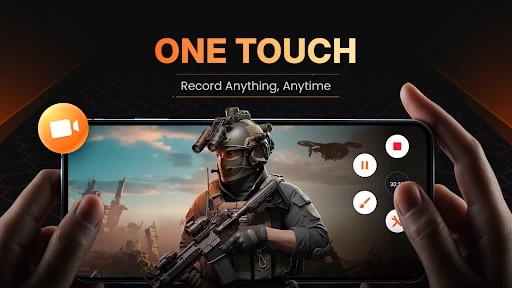
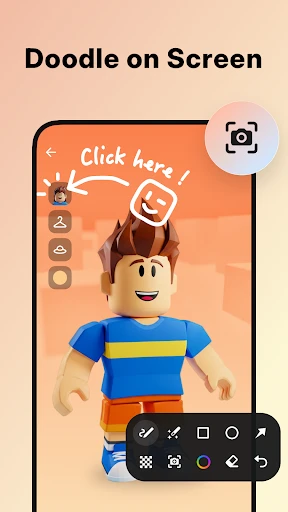
Hey everyone! I recently spent some time with the Screen Recorder - XRecorder app, and I have a lot to share about this useful little tool. Whether you're into gaming, creating how-to guides, or just like saving what's happening on your screen, this app could be your new best friend. Let's jump in and see what XRecorder is all about.
User Interface: Friendly or Frustrating?
First up is the app's layout. I've got to say, getting around in XRecorder is really simple. You know those apps that overwhelm you with options right away? This isn't one of them. The design is neat, easy to understand, and super straightforward. It doesn't matter if you're a tech expert or a total beginner; you'll figure it out in no time. All the buttons are easy to see, and you don't have to dig through a bunch of menus to find the settings.
Performance: Does It Deliver?
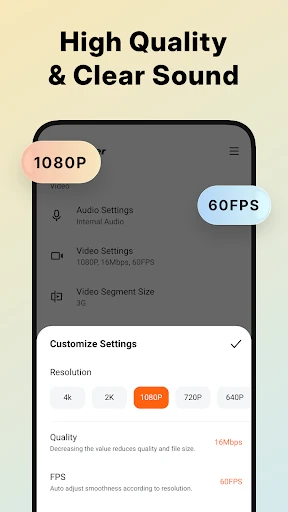
Now, let's get to the important part: how well it works. I've tried my fair share of screen recording apps, and XRecorder is definitely among the top performers. The video it captures is really smooth. There's no stuttering or strange hiccups, just clean, sharp video. You can also record in high definition, which is a huge bonus if you want to upload your videos to places like YouTube or Instagram.
Oh, and I can't forget the sound! You can pick up the sound from your device itself or use your microphone, which is perfect for adding your own commentary or narration. It's like having a tiny professional recording setup right on your phone.
Features: More Than Just Recording
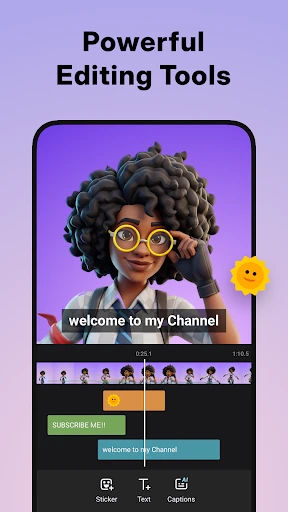
Okay, now let's talk about all the extra tools it has. Besides just recording your screen, XRecorder comes with a bunch of cool add-ons. One feature I really love is being able to edit your video right after you finish recording. You can cut out parts, add background music, or put in some text. It's incredibly handy not to have to switch to a different app just to make a few quick tweaks.
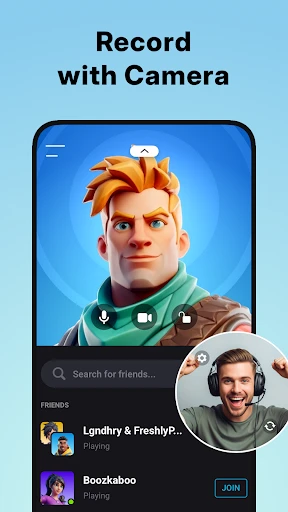
And for the gamers reading this, there's a cool feature that lets you record yourself with the front camera while you play. It's ideal for making reaction videos or game guides. Plus, there's no cap on how long you can record, which is amazing when you're having a long gaming marathon.
Storage and Sharing: Easy Peasy!
One aspect that really impressed me was how simple it is to handle your finished videos. You can save them straight to your phone's internal storage or an SD card, which helps keep your device from getting too full. Sharing your videos is just as easy. Whether you're sending a tutorial to a buddy or posting a clip online, XRecorder gives you fast and simple options to get it done.
Final Thoughts: Is XRecorder Worth It?
So, what's the final word? XRecorder is absolutely worth a download if you're looking for a dependable screen recording app. It's easy to use, loaded with features, and works really well. No matter if you're capturing game highlights, instructional videos, or anything else, this app has you covered.
In a market flooded with screen recording apps, XRecorder manages to stand out by working smoothly and offering a powerful set of tools. So why not try it out yourself and discover why people are talking about it
Advantages
- Easy to use interface
- High-quality video output
- Supports multiple formats
- No watermark on videos
- Allows audio recording
Disadvantages
- Contains ads
- Limited free features
- May lag on older devices
- Requires in-app purchases
- Large storage usage
Frequently Asked Questions
Q: What platforms does Screen Recorder - XRecorder support?
A: Screen Recorder - XRecorder is available for both Android and iOS platforms. Users can download the app from the Google Play Store for Android devices or the Apple App Store for iOS devices. It seamlessly supports a wide range of devices and OS versions, ensuring broad compatibility.
Q: Is Screen Recorder - XRecorder free to use?
A: Screen Recorder - XRecorder offers a freemium model. The basic features are available for free, allowing users to start recording their screens without any cost. However, there are in-app purchases that unlock premium features such as ad removal, higher resolution recording, and additional editing tools.
Q: Does Screen Recorder - XRecorder require root access on Android devices?
A: No, Screen Recorder - XRecorder does not require root access on Android devices. The app is designed to function smoothly on both rooted and non-rooted devices, ensuring that users can enjoy a hassle-free experience without needing to modify their device settings.
Q: Can Screen Recorder - XRecorder record internal audio?
A: Yes, Screen Recorder - XRecorder can record internal audio on most Android devices. This feature is highly beneficial for gamers and tutorial creators who need to capture the internal game sounds or app audio. However, iOS users may face certain limitations due to Apple's restrictions on internal audio recording.
Q: How user-friendly is Screen Recorder - XRecorder for beginners?
A: Screen Recorder - XRecorder is designed with user-friendliness in mind, featuring an intuitive interface that is easy to navigate. Beginners will find it straightforward to start and stop recordings, access settings, and edit videos. The app includes tutorials and tips to help new users get acquainted with its functionalities quickly.
Technical Information
Recommended for You

Holy Bible - Verse+Audio

Bose QC Earbuds

2nd Phone Number - Call & Text

Koala Sampler

Cover Hunter - 3v3 Team Battle

PlayWell: Play to Earn

Mureka - AI Song&Music Maker

AT&T Visual Voicemail

Photo Gallery: AI Photo Editor

COMMAND PRO

Prank Call - ARMY BLINK Call

JobStack for Work | Job Search

Brainly: AI Homework Helper

Real Madrid

Mods&Skins for Melon

Walmart MoneyCard


DJI Store - Try Virtual Flight

Booksy for Customers

Pogo: Earn Cash & Rewards

Jeel: Kids Early Education

DasherDirect, by Payfare

Lingvano: Sign Language - ASL
