
OfficeSuite Pro + PDF
OfficeSuite Pro PDF is a professional mobile office suite for business document editing
Screenshots
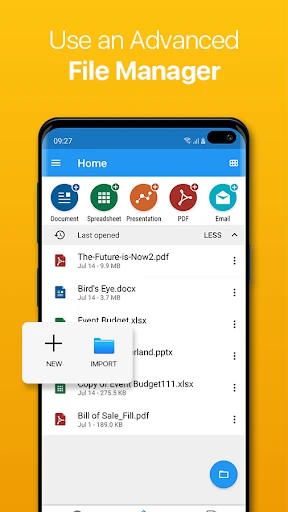
OfficeSuite Pro + PDF: Your All-in-One Mobile Office?
Hey there, fellow productivity enthusiasts! If you're anything like me, juggling between different office tasks and documents can be a real hassle. That's why I was pretty excited to try out OfficeSuite Pro + PDF, an app that promises to be a one-stop-shop for all your document needs. So, let's dive right in and see if it lives up to the hype.
A Single App for All Your Documents
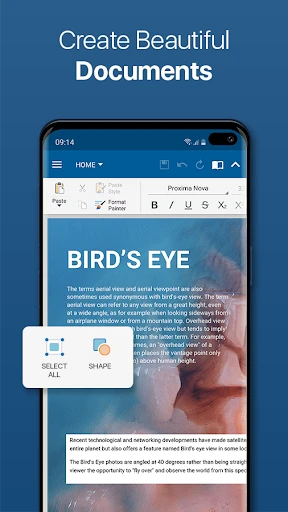
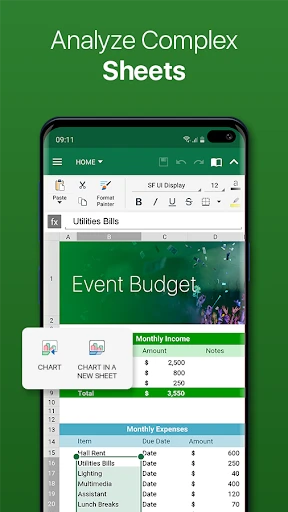
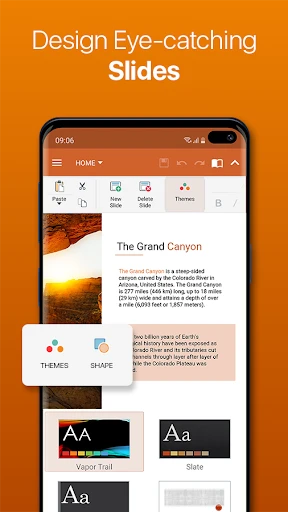
First off, let's talk about what makes OfficeSuite Pro + PDF stand out. Imagine having Word, Excel, and PowerPoint all rolled into one neat little package on your phone. Sounds pretty great, right? Well, that's the goal of this app. Not only does it let you create and edit word documents, spreadsheets, and presentations, but it also throws in a powerful PDF editor for good measure.
Packed with Features and Easy to Use
One thing I really liked about OfficeSuite Pro is how easy it is to use. The layout is straightforward, so you can find your way around even if you're not a tech expert. Plus, it's loaded with features you'd normally only find in full computer programs. From fancy formatting choices to cloud support, it really does have everything you need. What’s more, the app works with a huge variety of file types. Whether it’s a .doc, .xls, .ppt, or .pdf file, OfficeSuite Pro can handle it. This is a massive help for anyone who works with lots of different documents every day.
Effortless Cloud Connectivity
If you live your life in the cloud, you're going to appreciate this part. OfficeSuite Pro connects smoothly with services like Google Drive, Dropbox, OneDrive, and others. This makes it a breeze to get to your files from any device, at any time. I found this super handy when I needed to make a quick change while I was away from my desk.
The Standout PDF Tool
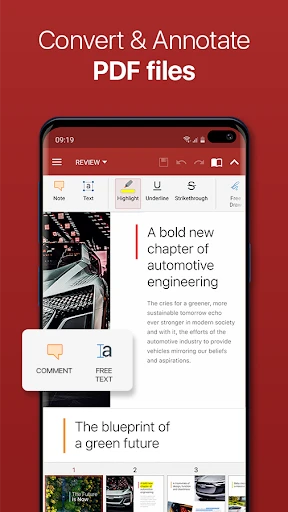
Now, let’s get to the PDF editor, which I think is the best part. Editing PDFs on a phone is usually a pain, but OfficeSuite Pro makes it pretty simple. You can add notes, fill out forms, and even sign documents directly from your phone. It's like having a portable office right in your pocket! It is important to note, though, that some of the more advanced tools require a paid subscription. But if you use these features all the time, it could be a worthwhile expense.
The Bottom Line
So, what’s the final word? I’d say OfficeSuite Pro + PDF is absolutely worth a look if you want a dependable, all-in-one office app for your phone. It's powerful, thanks to its many features, and it's easy to navigate. While you do have to pay for some premium options, the free version is still plenty capable for everyday jobs. Whether you’re studying, working, or just trying to keep things in order, OfficeSuite Pro + PDF is a useful tool to have. Why not download it and see how it works for you? Happy editing
Advantages
- Comprehensive office suite functionality
- Seamless integration with cloud services
- User-friendly interface
- Supports multiple file formats
- Regular updates and improvements
Disadvantages
- Subscription required for full features
- Can be resource-intensive on older devices
- Occasional syncing issues
- Limited free version functionality
- Some features require internet access
Frequently Asked Questions
Q: What platforms is OfficeSuite Pro + PDF available on?
A: OfficeSuite Pro + PDF is available for both Android and iOS platforms. It offers a seamless experience across devices, allowing users to view, edit, and create documents on the go. This cross-platform compatibility ensures that whether you're using a smartphone or tablet, you'll have access to OfficeSuite's robust features and capabilities.
Q: Can I edit PDF documents with OfficeSuite Pro + PDF?
A: Yes, OfficeSuite Pro + PDF allows users to edit PDF documents. This feature includes options to annotate, fill forms, and convert PDFs to Word, Excel, or ePub formats. The app provides a comprehensive set of tools that make handling PDFs as easy as managing standard office documents, enhancing productivity for users.
Q: Does OfficeSuite Pro + PDF support cloud storage integration?
A: OfficeSuite Pro + PDF does support cloud storage integration with popular services like Google Drive, Dropbox, OneDrive, and Box. This feature enables users to easily access and save their documents directly from the cloud. It provides a convenient way to ensure that your files are synchronized across all your devices and always accessible.
Q: Is there a free version of OfficeSuite Pro + PDF available?
A: OfficeSuite Pro + PDF offers a free version with basic features, but users can upgrade to the Pro version for more advanced functionalities. The Pro version includes additional tools such as enhanced PDF capabilities, extra storage options, and premium support. This tiered approach allows users to choose a plan that best fits their needs and budget.
Q: How user-friendly is OfficeSuite Pro + PDF for beginners?
A: OfficeSuite Pro + PDF is designed with a user-friendly interface that caters to both beginners and experienced users. The app features intuitive navigation and clear instructions, making it easy for new users to start creating and editing documents. Additionally, the app offers tutorials and customer support to assist users in maximizing its features effectively.
Technical Information
Recommended for You

Merrick Bank Mobile

نشان | نقشه و مسیریاب Neshan

AR Art Projector: Da Vinci Eye

JB4 Mobile

Vizio Smart TV Remote

ten ten

PXPlay: Remote Play

Battery Charging Animation 4D

Cloud Storage: Cloud Drive App

Weather Radar - Meteored News

Homebase: Employee Scheduling

Mango Languages Learning

RM Play

All video downloader and saver

Pratilipi Novel

Nickname Generator: NickName

The Economist - News, Podcasts

Ballozi VERO Hybrid Analog

Stellarium Plus - Star Map

Alison: Online Education App

Sony | Sound Connect

Coin Identifier - Coin Value

GolfNow: Golf Tee Times
