
Campus Parent
School communication tool for parents and teachers
Screenshots
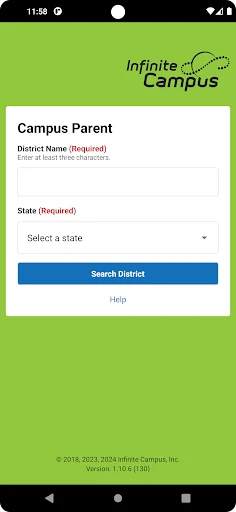
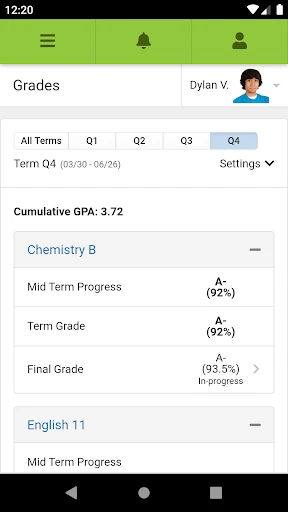
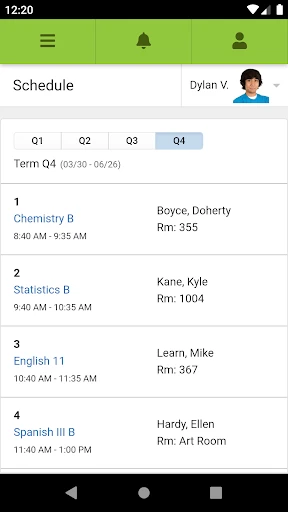
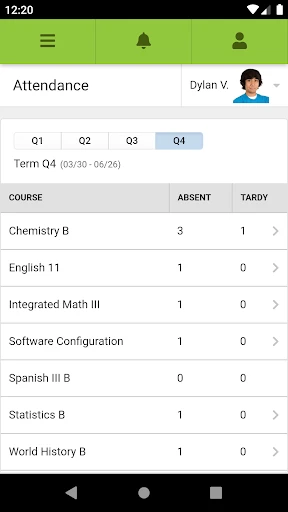
Campus Parent: Your New Best Friend for School Updates
Picture this: you've just dropped off your kid at school, and as you drive away, you realize you have no clue when their next big project is due or how they're actually doing in class. Say hello to Campus Parent, the app that's about to become your go-to sidekick. Made just for parents, this app puts the school right in the palm of your hand. Let's check out how it changes the game for staying in touch with your child's school life.
All Your Child's School Info in One Spot
Forget about those last-minute hunts for lost report cards or missing a scheduled meeting with a teacher. Campus Parent puts every piece of academic info you need on one simple, easy-to-use platform. You can track grades and check attendance without any hassle. And the best part? You get updates as they happen. You'll know instantly if your child nailed that spelling test or if they were marked absent unexpectedly.
Keeping Tabs on Homework and Important Dates
No more last-minute shocks when your child remembers a project due the next day. The app's assignment tracker works like your own personal organizer. It watches over all upcoming homework and when it's due. You can even set up alerts to give your kids a friendly reminder. On top of that, the built-in calendar connects with all school activities, so you won't ever forget about the next fundraiser or choir concert.
Stay in the Loop with Easy Messaging
Ever feel like you're the last to know about school news? With its direct messaging feature, Campus Parent makes sure you're always connected. You can easily get in touch with teachers, school administrators, or other parents. It's like carrying the school office in your pocket, ready to help whenever you have a question. The app is super easy to use, so even if you're not great with technology, you'll find it a snap.
Now, you might be wondering, "Do I really need one more app on my phone?" But believe me, Campus Parent is totally worth it. It’s not just about watching grades; it’s about being involved in your child’s learning. Plus, it helps build a better link between you, your child, and their school.
To wrap it up, if you're a parent who wants to stay connected to your child's education, Campus Parent is a tool you shouldn't be without. It totally changes how you deal with the school, making everything easier and way less stressful. So why not download it and see how it makes your day-to-day life simpler.
Advantages
- User-friendly interface for easy navigation
- Real-time access to grades and attendance
- Customizable notifications for updates
- Secure login with multi-factor authentication
- Supports multiple languages for inclusivity
Disadvantages
- Limited offline functionality
- Occasional sync issues with school servers
- Advertisements in free version
- Requires constant internet connection
- Limited customization for dashboard layout
Frequently Asked Questions
Q: What is Campus Parent and who is it for?
A: Campus Parent is a mobile application designed for parents to stay informed and engaged in their child's educational journey. It provides real-time access to student grades, attendance, assignments, and more. It's ideal for parents who want to monitor their children’s academic progress and stay connected with their school's activities and announcements.
Q: How do I access my child's information on the Campus Parent app?
A: To access your child's information, you need to log in with your parent account credentials that are provided by the school. Once logged in, you can view grades, assignments, attendance records, and receive important announcements. Ensure your school uses the Campus platform and you have the correct login details to access the app.
Q: Is the Campus Parent app free to use?
A: Yes, the Campus Parent app is free to download and use. However, it requires your school to be subscribed to the Campus platform. As a parent, you won't incur any costs for using the app, but the availability of certain features might depend on your school's specific subscription plan.
Q: Can multiple parents or guardians access the app simultaneously?
A: Yes, multiple parents or guardians can access the Campus Parent app simultaneously, provided each has their own login credentials issued by the school. This allows both parents to stay updated with their child’s school activities and performance without needing to share login information, ensuring privacy and security for all users.
Q: What devices support the Campus Parent app?
A: The Campus Parent app is available for both Android and iOS devices. It is compatible with most smartphones and tablets running the latest operating systems. For the best experience, ensure your device meets the app’s requirements and is updated to the latest software version. This ensures optimal performance and access to all features.
Technical Information
Recommended for You

EDGE Lighting -LED Borderlight

MARTA On the Go

マンガほっと -話題の漫画や人気コミックが読めるマンガアプリ

Photo Prints Now: CVS Photo

CashDream: Play & Earn Rewards

Microsoft PowerPoint

EPIK - AI Photo & Video Editor

Gusto Mobile

Weather: Live radar & widgets

QR & Barcode Scanner Launcher

PlayStation App

Kahoot! Play & Create Quizzes

Google TV

TanTan - Asian Dating App

LibriVox Audio Books

BetRivers Casino & Sportsbook

AGAMA Car Launcher

EpicWalls

King James Bible Study KJV

Магнит: акции и доставка

Bigo Live - Live Streaming App

Draw Animation - Anim Creator

Auntie Anne’s Rewards
