
MMGuardian Parental Control
Parental Monitoring For Child Phone Safety
Screenshots
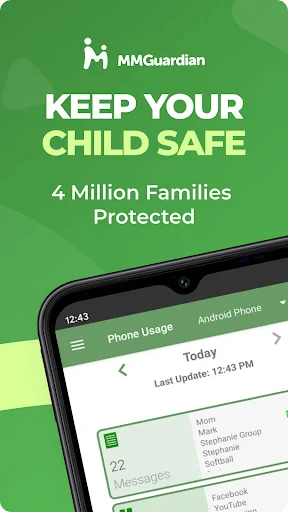
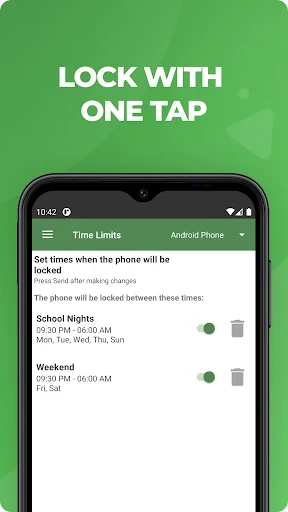
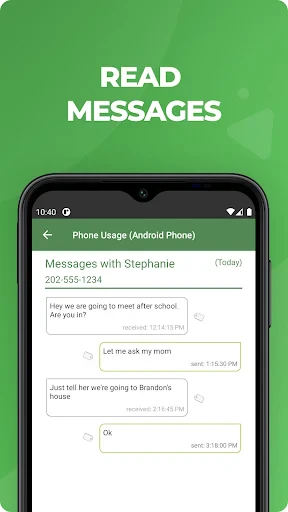
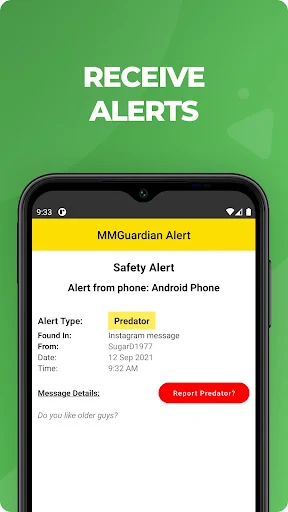
MMGuardian Parental Control: A Parent's Peace of Mind
If you’ve ever felt that knot of anxiety wondering what your kids are really up to on their phones, MMGuardian Parental Control could be the solution you're looking for. I completely understand the worry that comes with handing a child a smartphone. MMGuardian is designed to ease those fears by giving you a powerful set of tools to oversee and manage your child’s mobile activity.
Getting Your MMGuardian Account Running
First, let's tackle the setup process. Getting MMGuardian installed is pretty simple, whether your child uses an Android or an iPhone. You'll need to install the app on both your child's device and your own. Once everything is connected, the main dashboard becomes your command center for adjusting settings and checking reports. The design isn't the most modern you'll ever see, but it's functional and practical.
One of the first things I noticed was how all-inclusive the features are. It covers everything from monitoring calls and texts to managing screen time, controlling apps, and even tracking location. It's like having a complete digital parenting toolkit right on your own phone.
Noteworthy Tools and Capabilities
Now, let's look at some of the features that really make MMGuardian useful. The app control function is a game-changer. You can block certain apps completely or set daily time limits, which is ideal for managing a TikTok habit or making sure homework is finished before any games are played.
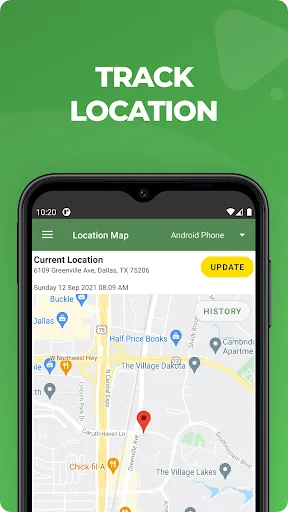
Then there's the web filtering. This tool allows you to block unsuitable websites with ease. It's also adjustable, so you can set it to be as restrictive or as relaxed as you feel is right for your child. And for those times when you just need to know their whereabouts, the location tracker is reliable. It's precise enough to give you reassurance without feeling overly intrusive.
Everyday Use and Reliability
That said, MMGuardian does have a few minor quirks. Occasionally, the app can run a little slowly, particularly on older phones. I also experienced a few delays with the location updates refreshing. However, for the most part, it performs reliably.
It's worth noting that the sheer number of options might feel a bit overwhelming if you're not super comfortable with technology. But there's no need to stress—the service offers plenty of helpful guides and FAQs to walk you through any confusion.
Also, be mindful of battery life. With all the background monitoring and tracking, the app can use up a fair amount of power. This is something to consider if your child's phone battery already has a hard time lasting the whole day.
Final Thoughts and Summary
So, what's the bottom line? MMGuardian Parental Control is a strong and dependable option for parents who want a clear view of their child's digital world. It provides a great deal of flexibility and oversight, which is the main goal of any parental control app. While it may not have the flashiest interface, its powerful features more than compensate.
If you're considering it, I'd say go ahead and try it. It could be the key to the reassurance you've been searching for, all packaged into a convenient app. And let's be honest, anything that helps you worry a little less is definitely worth checking out
Advantages
- Comprehensive monitoring features.
- User-friendly interface.
- Real-time alerts and notifications.
- Supports multiple devices.
- Strong web filtering capabilities.
Disadvantages
- Limited free version features.
- Occasional app crashes.
- Complex setup for non-tech users.
- Premium version is pricey.
- Battery consumption is high.
Frequently Asked Questions
Q: What is MMGuardian Parental Control and how does it work?
A: MMGuardian Parental Control is a mobile app designed to help parents monitor and manage their children's smartphone usage. It offers features like app blocking, web filtering, and location tracking. Parents can set up usage limits, view detailed reports, and receive alerts about potentially harmful activities. The app works by installing a monitoring application on the child’s device, which communicates with the parent’s device where controls and settings are managed.
Q: Is MMGuardian Parental Control compatible with both Android and iOS devices?
A: Yes, MMGuardian Parental Control is compatible with both Android and iOS devices. However, the features available can vary slightly between the two platforms due to different operating system restrictions. For instance, some advanced monitoring features may be more limited on iOS devices compared to Android. It's crucial to check the specific capabilities for your device on the MMGuardian website before downloading.
Q: How secure is the data collected by MMGuardian Parental Control?
A: MMGuardian places a strong emphasis on data security and privacy. All data collected by the app is encrypted and stored securely. The company follows strict privacy policies and compliance with relevant data protection regulations to ensure that users’ information is protected. Parents can rest assured that their family's data is handled with the utmost care and confidentiality.
Q: Can children uninstall the MMGuardian app without parental consent?
A: MMGuardian Parental Control is designed to prevent unauthorized uninstallation by children. On Android, the app can be set as a device administrator, which restricts the ability to uninstall it without a parent’s permission. On iOS, while direct uninstallation is more challenging to prevent, parents are notified immediately if the app is removed. It's always recommended to have an open discussion with children about the app's purpose to ensure compliance.
Q: What are the subscription costs associated with MMGuardian Parental Control?
A: MMGuardian Parental Control offers a range of subscription plans tailored to different needs and budgets. Pricing may vary based on the number of devices you wish to monitor and the plan duration. Typically, there are monthly, yearly, and family plans available. Potential users should check the official MMGuardian website for the most current pricing and plan details to choose the option that best suits their family’s needs.
Technical Information
Recommended for You

Find my phone・Location tracker

Bible en français courant

PhotoScan by Google Photos

Baby Development & Milestones

OmeTV – Video Chat Alternative

Fishing Points - Fishing App

Buffalo Wild Wings Ordering

PBS Parents Play & Learn

Kahoot! Play & Create Quizzes

Screen Recorder - Record Video

Hungry Howies

DJI Store - Try Virtual Flight

NWS Weather

Real Messenger

El Pollo Loco - Loco Rewards

SkyView® Explore the Universe

TickPick - Live Event Tickets

Family Chore Manager

HD Video Downloader App - 2022

Valley Metro

Atlas Earth - Buy Virtual Land

OKX: Buy Bitcoin BTC & Crypto

Battery Charging Animation 4D
