
Link to Windows
Connect Your Phone To Windows Seamlessly
Screenshots


Connecting Your Android Phone to Windows: A Seamless Experience
If you've ever wanted a simpler way to link your Android phone and your Windows computer, you're in for a treat. The Link to Windows app closes that gap, creating a smooth experience that makes switching between your devices super easy. Let's look at what makes this app a must-have for Android and Windows users.
Getting Started is a Breeze
First things first, getting Link to Windows up and running is really simple. You just need a compatible Android phone and a PC running Windows 10 or newer. Head to the Google Play Store to download the app, log in with your Microsoft account, and that's it. The app walks you through the setup with clear, step-by-step directions, making the whole thing surprisingly painless.
Handy Features You'll Appreciate
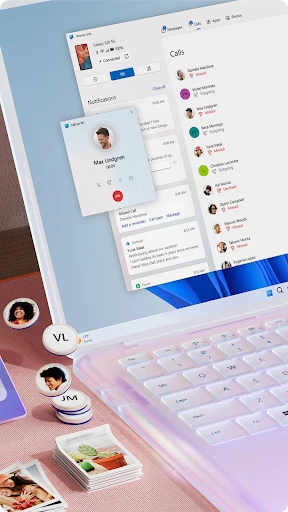
After you're connected, you'll discover a bunch of features built to boost your productivity. The app allows you to see your phone's notifications, text messages, and recent photos right on your computer. This means you can reply to texts, check out new pictures, and even run some of your favorite phone apps without ever touching your phone. Pretty neat, right?
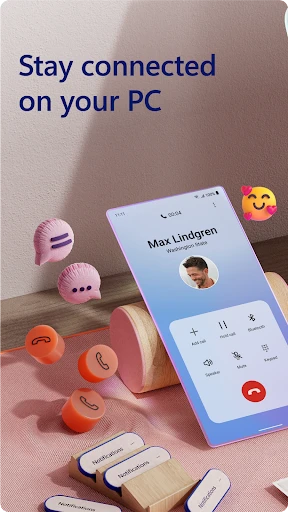
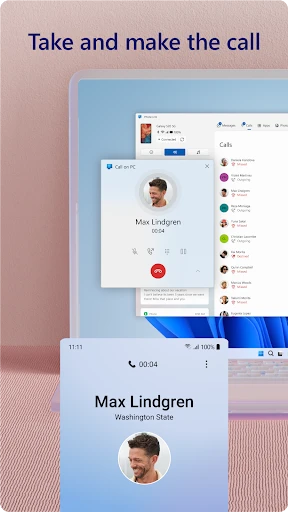
One feature that's a real winner is being able to take and make phone calls directly from your PC. It's super handy, particularly when you're focused on work and don't want to stop to find your phone. On top of that, the call quality is reliably good, so no issues there.
How Well It Works and Feels
In terms of performance, Link to Windows operates smoothly without any obvious delays. The link between your phone and computer is strong and stable, which is super important for an app like this. The layout is clean and easy to understand, so moving between different functions feels natural and not confusing. Whether you're a tech pro or just getting started, you'll figure this app out in no time.
A Few Areas That Could Be Better
Even though Link to Windows is great, there's always a little space to grow. For instance, having more customization choices would let users adjust the experience to fit their personal preferences better. Also, while it works with a lot of Android phones, it would be nice if it supported even more older models.
Wrapping It All Up
All in all, Link to Windows is an excellent tool for anyone wanting to better connect their Android phone with their Windows PC. It's easy to use, works efficiently, and is a genuine time-saver. Whether you're answering messages, handling alerts, or just looking through your photos, this app makes doing multiple things at once much simpler. If you haven't tested it out, I'd definitely suggest trying it. You might just ask yourself how you managed before!
Advantages
- Seamless integration with Windows PCs
- Allows message and call syncing
- Easy file transfer between devices
- Supports multiple Android apps
- Improves productivity with multitasking
Disadvantages
- Limited iOS compatibility
- Requires stable internet connection
- Can drain battery quickly
- Occasional connectivity issues
- Needs Windows 10 or higher
Frequently Asked Questions
Q: What is Link to Windows and how does it work?
A: Link to Windows is an app developed by Microsoft that allows Android users to connect their phones to a Windows PC seamlessly. By using this app, users can sync their notifications, messages, and photos between their Android device and PC, allowing for a more integrated experience. This connection is established via Wi-Fi, ensuring that data is transferred quickly and efficiently without needing a physical connection.
Q: Is Link to Windows compatible with all Android devices?
A: Link to Windows is compatible with most Android devices running Android 7.0 (Nougat) or higher. However, the app's full functionality may vary depending on the device manufacturer and model. For example, some features may work better on Samsung devices due to their close collaboration with Microsoft. It's always a good idea to check the app's compatibility with your specific device before downloading.
Q: What features can I use with Link to Windows on my PC?
A: With Link to Windows, users can access a variety of features directly from their PC. These include viewing and responding to text messages, accessing phone notifications, viewing and managing photos, and even mirroring the phone's screen in some cases. This integration aims to enhance productivity by reducing the need to switch between devices constantly.
Q: Does Link to Windows require a Microsoft account to use?
A: Yes, Link to Windows requires users to sign in with a Microsoft account to facilitate the connection between the Android device and the Windows PC. This account ensures that your data is securely synced and accessible across devices. If you don't have a Microsoft account, you can easily create one for free during the setup process.
Q: Are there any privacy concerns when using Link to Windows?
A: Link to Windows prioritizes user privacy and security by using encryption to protect data transferred between your phone and PC. Microsoft adheres to strict privacy policies, ensuring that your personal information and data remain secure. Users should review these privacy settings and manage permissions during the app's setup to ensure a comfortable level of data sharing.
Technical Information
Recommended for You

myQQ – Quick Quack

Remote for Fire TV & FireStick

HD Camera for Android: XCamera

Hole19 Golf GPS & Range Finder

Heart Camera

Uphold: Buy BTC, ETH and 300+

Mirror Link

DailyWeather: Weather Forecast

TuneIn Radio: Music & Sports

JoiParty - Chat room

Photo Video Maker with Music

Garmin ActiveCaptain®

Offline Music Mp3 Player- Muso

Slack

GitHub

Busuu: Learn & Speak Languages

Bitcoin Price for Wear OS

Lufthansa

Whoscall - Caller ID & Block

Vacation Countdown App

Jurassic World Play

Instant Voice Translate

Burmese TV Pro
