
Canon PRINT
Print Photos Documents From Phone To Canon Printer
Screenshots
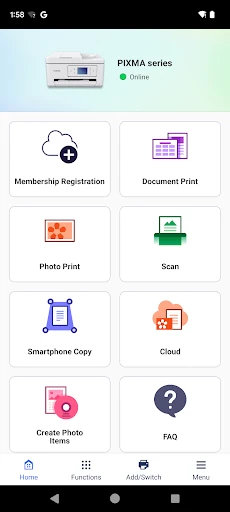
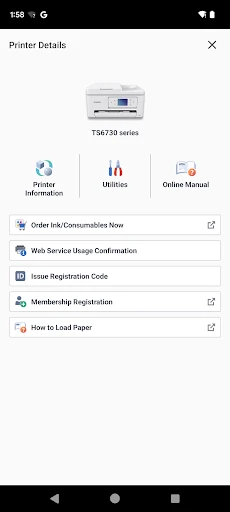
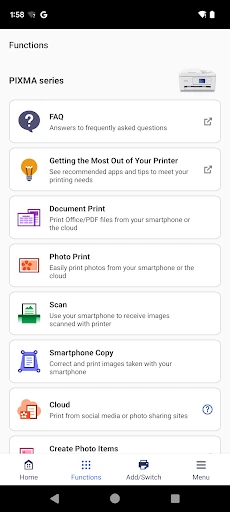
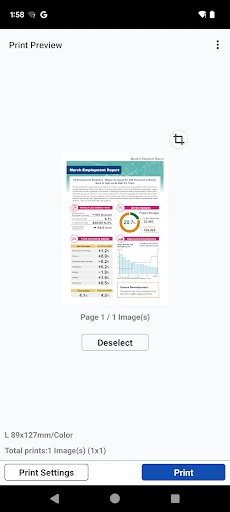
A Little Journey Through the World of Printing with the Canon PRINT App
Getting Your Canon PRINT App Up and Running
First things first, getting the Canon PRINT app set up is surprisingly simple. It's a free download whether you're on an Android phone or an iPhone, and it's designed to be really straightforward. I was amazed at how fast it found and connected to my Canon printer. There's no messing with confusing wires or puzzling over weird error codes. The app walks you through each step without any hassle, and in just a few moments, you're all set to start printing!
Features That Really Impress
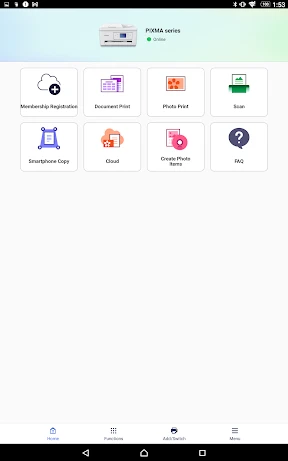
Once you're up and running, the Canon PRINT app shows you just how handy it can be. One of the best parts is printing documents and photos straight from your phone or tablet. You can forget about the old method of moving files to a computer first. Just pick the file from your device or your cloud storage and tap print. It's that easy!
The app also has a scanning feature, which is a huge help when you need to turn a paper document into a digital file. Place your document on the scanner, use the app to take a picture of it, and you're finished. The scans come out looking great, keeping all the fine details and colors from the original.
The Game-Changing Power of Remote Printing
Another amazing feature is being able to print from afar. Have you ever been out and about and suddenly realized you needed to print something? With Canon PRINT, if your printer is online, you can send something to print from literally anywhere. This is ideal for frequent travelers or people who work from different locations but still need to use their printer at home.
Tailoring Your Prints and Effortless Operation
Canon PRINT also gives you some really useful customization options. You can change print settings like the paper size, color mode, and print quality right from the app. This saves you time because you don't have to mess with the physical printer's buttons and menus.
The easy-to-understand layout of the app is also worth pointing out. Everything is organized logically, so it's not confusing even if you don't consider yourself a tech expert. Canon has really succeeded in making an app that feels welcoming and simple to use.
Wrapping Up My Experience
To sum it all up, the Canon PRINT app is an essential tool for anyone who owns a compatible Canon printer. It makes printing much simpler, puts a bunch of useful features right in your hand, and takes the stress out of managing your print jobs. I'm seriously happy with how much more convenient it has made things for me, and I believe it could do the same for you. So, if you're looking for a smooth and easy printing experience, you should test out the Canon PRINT app. You might end up wondering how you ever managed without it
Advantages
- Easy wireless printing setup
- Compatible with various file formats
- High-quality photo printing
- User-friendly interface
- Supports cloud printing
Disadvantages
- Limited editing features
- Requires Canon printer
- Occasional connectivity issues
- Ads can be intrusive
- Limited customer support
Frequently Asked Questions
Q: What devices are compatible with the Canon PRINT app?
A: The Canon PRINT app is compatible with a wide range of Canon printers and supports both Android and iOS devices. Ensure your device runs on Android 4.4 or later, or iOS 9.0 or later. Additionally, the printer must support wireless connectivity for seamless operation with the app.
Q: How can I connect my Canon printer to the Canon PRINT app?
A: To connect your Canon printer to the Canon PRINT app, ensure both the printer and your mobile device are on the same Wi-Fi network. Open the app, select your printer from the list, and follow the on-screen instructions to establish a connection. This setup allows you to print and scan wirelessly.
Q: Can I use the Canon PRINT app to scan documents?
A: Yes, the Canon PRINT app allows you to scan documents directly from your mobile device. After connecting your printer to the app, simply select the Scan option. You can adjust settings like resolution and format, and then save or share the scanned document via email or cloud services.
Q: Is the Canon PRINT app free to use?
A: The Canon PRINT app is free to download and use. However, some advanced features might require a compatible Canon printer model. There are no hidden costs for using the app, but standard data charges may apply depending on your mobile plan when downloading and using the app.
Q: What features does the Canon PRINT app offer?
A: The Canon PRINT app offers a variety of features including wireless printing, scanning, and copying. It supports photo printing from social media, cloud storage integration, and maintenance tasks like checking ink levels and updating firmware. These features make it a comprehensive tool for managing your Canon printer.
Technical Information
Recommended for You

Ultimate IPTV Loader PRO

3D Modeling App: Sculpt & Draw

Slack

SoundCloud: Play Music & Songs

Truist Mobile

bet365 - Sportsbook & Casino

Klarna | Shop now. Pay later.

LinkedIn: Jobs & Business News

myAudi

Oticon Companion

OneTouch Reveal® app

STARZ

Amex

OsmAnd — Maps & GPS Offline

MiraClean - File Manager

XShorts: short and hot videos

Modern House Design Draw House

Text Free: Second Call Number

PDF Editor: Edit PDF, Sign PDF

Music player

Recipe Keeper

LA Wallet

Google TV
