Weather Complications: Wear OS
Smart weather for Wear OS watch faces
Screenshots
Your Wear OS Watch's New Weather Best Friend
Have you ever found yourself rushing out the door and wishing you knew whether to grab an umbrella or not? Well, if you’re wearing a smartwatch with Wear OS, Weather Complications is about to become your new best friend. This nifty little app is designed to keep you updated on the weather right from your wrist, and it’s packed with features that make it stand out. Let’s dive into what makes Weather Complications a must-have on your smartwatch.
Instant Weather on Your Wrist
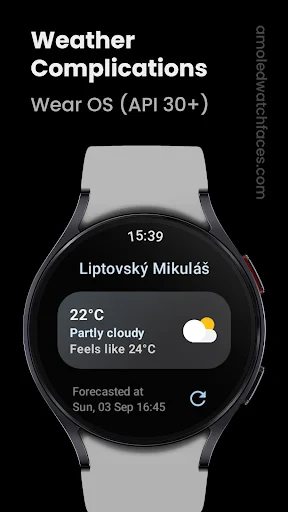
The first thing you’ll notice about Weather Complications is its ability to deliver weather information at a glance. The app integrates seamlessly with your Wear OS watch face, displaying essential weather data like temperature, precipitation, and wind speed. You can even customize these complications to show the data most relevant to you, ensuring that you’re always prepared for whatever Mother Nature throws your way.
Make It Your Own
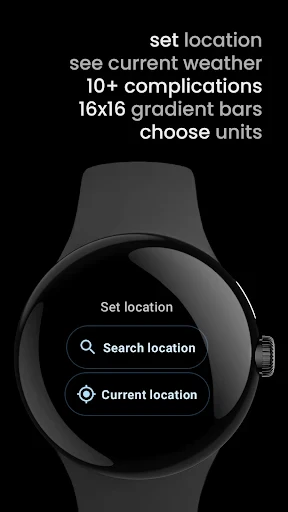
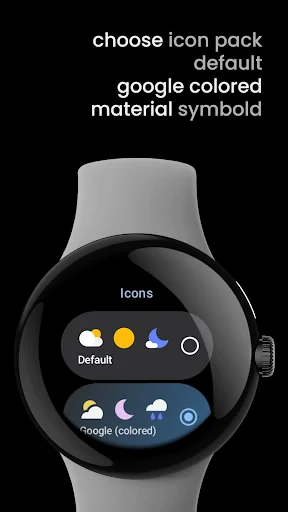
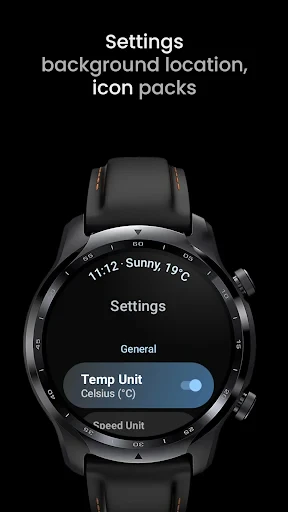
One of the standout features of Weather Complications is the level of customization it offers. Whether you want the weather update every hour or just once a day, the app lets you tailor these settings to suit your lifestyle. You can also choose from different weather providers, ensuring you get the most accurate information possible. And let’s not forget the aesthetic customization – with various styles and colors, you can make sure your weather data looks as good as it functions.
Stay Ahead of the Storm
Weather Complications doesn’t just stop at displaying weather data; it also keeps you informed with timely notifications and alerts. If there’s a sudden change in weather or a storm approaching, your watch will let you know, keeping you one step ahead at all times. This feature is especially handy for those who spend a lot of time outdoors or those who simply want to stay in the loop with minimal effort.
Built to Last All Day
Of course, with any smartwatch app, battery consumption is always a concern. Weather Complications is designed to be light on battery usage, so you won’t have to worry about your watch dying halfway through the day. The developers have done a great job optimizing the app to ensure it’s efficient, allowing you to enjoy all its features without draining your device.
In summary, Weather Complications is an incredibly useful app for anyone with a Wear OS smartwatch. It’s perfect for those who want quick, customizable access to weather information without having to pull out their phone. The app’s design, combined with its practical features, makes it a standout choice in the ocean of weather apps available today. So, if you’re looking to keep your weather game strong, give Weather Complications a try – you won’t be disappointed
Advantages
- Highly accurate weather forecasts
- User-friendly interface
- Customizable complications
- Real-time weather updates
- Battery-efficient performance
Disadvantages
- Limited to Wear OS devices
- Requires constant internet connection
- Some features are premium-only
- Occasional syncing issues
- Limited free version features
Frequently Asked Questions
Q: What features does Weather Complications: Wear OS offer?
A: Weather Complications: Wear OS offers a range of features tailored for smartwatch users. It provides real-time weather updates, customizable watch face widgets, and detailed forecasts including temperature, humidity, wind speed, and precipitation alerts. The app is optimized for Wear OS, ensuring seamless integration and easy access to weather information directly from your wrist.
Q: Is Weather Complications: Wear OS compatible with all smartwatches?
A: Weather Complications is specifically designed for Wear OS devices, ensuring optimal performance and compatibility. However, it may not function properly on smartwatches running other operating systems like Apple WatchOS or Samsung's Tizen. Before downloading, ensure your device supports Wear OS to enjoy all app features smoothly.
Q: Does Weather Complications: Wear OS require an internet connection?
A: Yes, Weather Complications: Wear OS requires an active internet connection to fetch the latest weather data. While some features like past weather data and default settings may be accessible offline, real-time updates and detailed forecasts need connectivity to provide the most accurate and up-to-date information.
Q: How does Weather Complications ensure data accuracy?
A: Weather Complications utilizes reliable weather data sources and advanced algorithms to provide accurate forecasts. The app aggregates information from meteorological services and updates frequently to ensure precision. Users can trust the app for timely and reliable weather updates right on their Wear OS smartwatch wherever they are.
Q: Can I customize the weather notifications on my Wear OS device?
A: Yes, Weather Complications allows users to customize notifications to suit their preferences. You can set alerts for specific weather conditions, choose the frequency of updates, and select which data to display on the watch face. This personalization helps users stay informed about weather changes that matter most to them.
Technical Information
Recommended for You

Mico - Live Wallpaper & Widget

ScanSolve - AI Homework Helper

Advance Auto Parts

Canon PRINT

Blink Charging Mobile App

Metro

Camera endoscope / OTG USB

TV Cast Pro for Samsung TV

DealDash - Bid & Save Auctions

Smarters Pro - Mobile

TomTom GO Navigation

Microsoft Launcher

Phone Locator: Family Location

Unlimited MP3 Music Downloader

The Guardian - Live World News

Govee Home

Cartoon Photo Editor - ToonAI

Wellcare+

AirPlay

Financial Times: Business News

HeyCash: Surveys for Money

리디 - 웹툰, 만화, 웹소설, 전자책 모두 여기에!

Screen Cast - Mirror For TV